
EMA Mail
Every email, kept exactly as it was sent.
EMA keeps an original copy of every incoming, outgoing and internal message, complete, signed and searchable. Most mail servers need nothing installed for it.

Nobody is left out
EMA reads the delivery envelope, not the headers, so BCC recipients and the members of distribution lists are archived too.
An original copy
Each email is kept complete, as it was sent, never split into stubs. You can show that the copy matches the original.
Any mail server
Exchange, Microsoft 365, Google Workspace, Postfix, HCL Domino and others, even several at once. Most need nothing installed.
Found in seconds
Full-text search across messages and attachments, in the web interface and in Outlook.
Why companies archive email
What an email archive is for
A court asks for emails
A dismissal case, or a prosecutor wants a customer's correspondence. Hand over exactly the records asked for: PDF with headers, bulk print or ZIP export.
The tax auditor visits
Tax and commercial law set how long business email must be kept, often 6 years or more. EMA keeps it complete and unaltered.
A customer asks what you hold
Under the GDPR anyone can ask for the personal data you keep about them. One search across every mailbox finds their mail, and you export it in one go.
Someone needs an old quote
Staff search EMA instead of their mail program, and find mail from years ago, even when everyone involved has left.
Connect
Every mail server has a way in
Cloud mail reaches EMA through the ARTEC Cloud Connector, and servers in your own building send their copy directly. Domino can do either, with or without the optional EMA extension.
Microsoft 365 and Google Workspace send a copy of every message to the ARTEC Cloud Connector, which EMA collects from. Exchange Server journals to a mailbox that EMA collects by POP3, or to the Cloud Connector. HCL Domino, Postfix and other servers send their copy straight to EMA.
flowchart LR
  M365["`**Microsoft 365**
Journal rule`"]
  GW["`**Google Workspace**
Routing rule`"]
  EX["`**Exchange Server**
Journal rule`"]
  DOM["`**HCL Domino**`"]
  PF["`**Postfix and others**
Milter or SMTP`"]
  CC["`**ARTEC Cloud Connector**
Hosted by ARTEC`"]:::mid
  JM["`**Journal mailbox**
On your Exchange`"]:::mid
  EMA[EMA]:::ema
  M365 --> CC
  GW --> CC
  EX -.-> CC
  EX --> JM
  CC -->|EMA collects| EMA
  JM -->|POP3| EMA
  DOM --> EMA
  DOM -.->|Optional EMA extension| EMA
  PF --> EMA
Swipe sideways to see the whole diagram.
A key priority for us was fully automated, audit-proof and legally compliant archiving of incoming and outgoing email, stored in a central archive without any action from our employees.

A short, encrypted stop on the way in
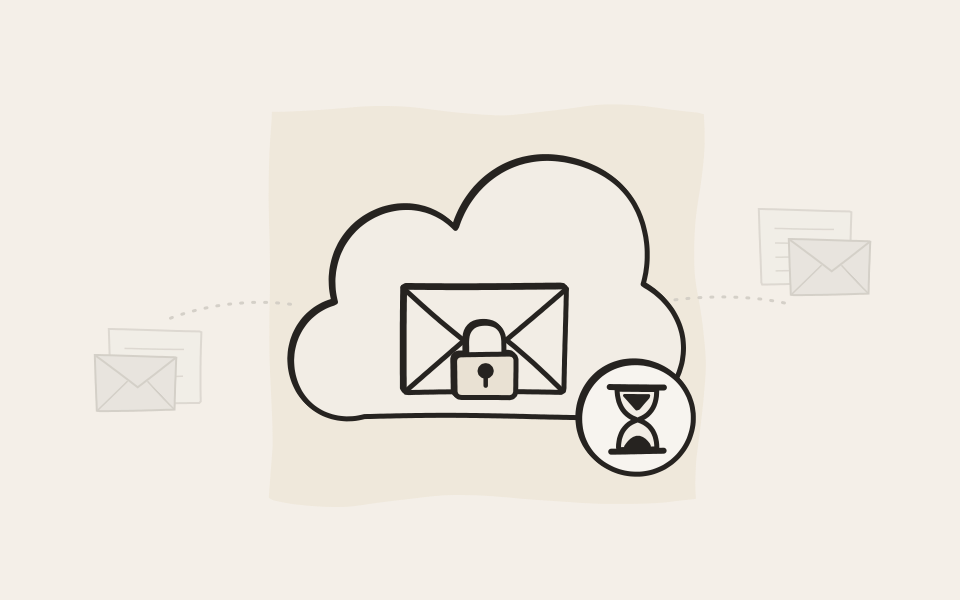
The Cloud Connector, run by ARTEC, holds your mail only until EMA collects it, normally within a minute, and then deletes it. Every customer has their own encrypted storage in it, and your mail is encrypted end to end: on its way in from Microsoft or Google, while it waits, and on its way to EMA. EMA always connects out, so your archive never has to be reachable from the internet. Worldwide, about 20 terabytes of mail pass through the Cloud Connector every month.
Organise
Your archive, your rules
Keep the folders people know, leave out what must stay private, and tag the rest with your own script.
Your folders, kept in the archive
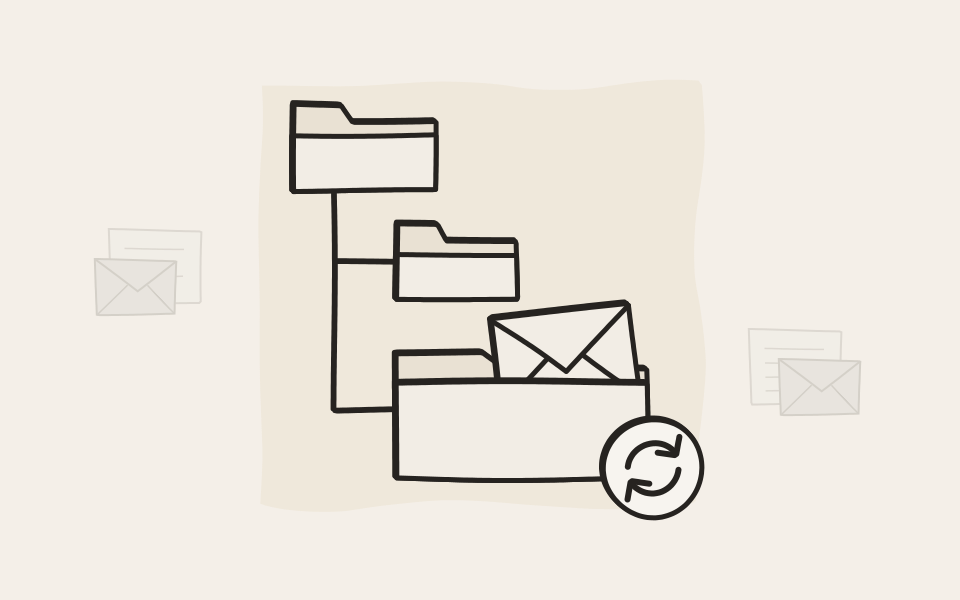
Plenty of people never search for an email. They file it, in a folder tree they have built up over years. Mailbox Sync keeps that tree in the archive, for every mailbox if you like, and keeps it up to date with Exchange, Microsoft 365, Google Workspace or IMAP. When someone deletes a message, the archive keeps it in the last folder it was in.
Leave out what must stay private
A works council agreement may ask for private mail to stay out of the archive, and reports to a whistleblower office have to stay confidential. EMA leaves mail out by address, by group in your directory, or by the private flag in Outlook, and header rules cover anything else. Newsletters and spam can stay out too.

Process every incoming message with your own script
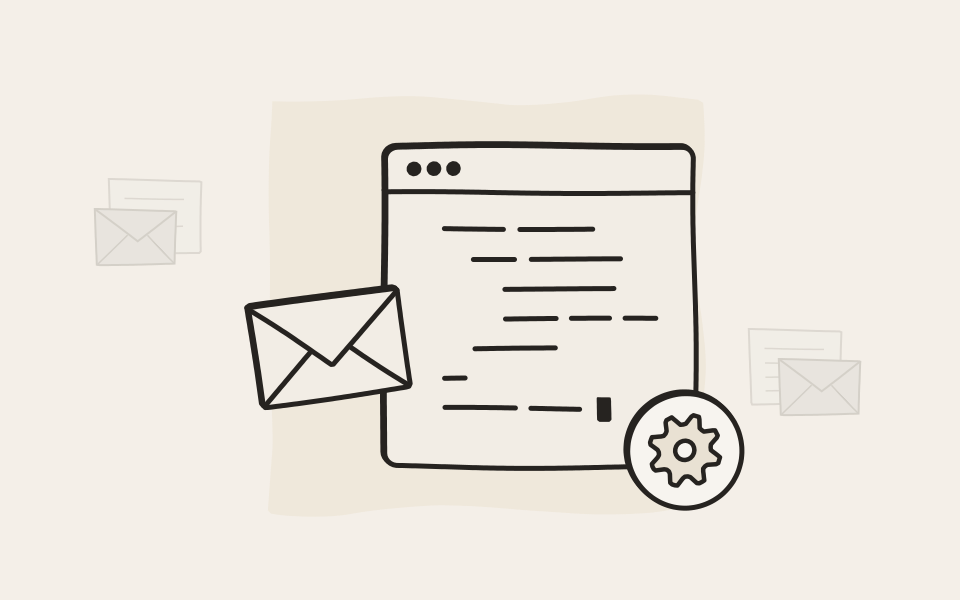
A script runs on each email on its way in. It sees the headers, subject, body and attachments. It can skip the message, keep it, or tag it with attributes you can search later. Scan attachments, score spam, ask an AI model to classify the message, look up the sender in your CRM. If you can write it in Lua, you can do it.
Migrate
The years before EMA belong in it too
Your archive is most useful when it also holds the mail from before EMA. PST files, old servers and other archives move into EMA, and one search covers all of it.
Years of old mail come with you
The EMA Mail Import Tools bring in the mail from before EMA, wherever it sits today. First you liberate a source into one portable ImportPak file, then you submit it to EMA. The two halves never meet, so a migration partner can do the first without any access to your archive. A script can filter and tag every message on the way. Every message has a status, so a second run retries only what failed.

EMA helped us save on duplicate maintenance and licensing costs and minimise administrative effort. Thanks to the Mail Import feature, moving large volumes of data was simple, trouble-free and done in a surprisingly short time.


Try the EMA Mail Import Tools in your browser
The real commands, parameters and help, against an invented mailbox. Press a button or type your own.
Exchange Server
Mailboxes, archive mailboxes and public folders on your own servers.
Exchange Online
Mailboxes and shared mailboxes, read through Microsoft Graph with an app in your own tenant.
PST files
Read straight from the file, with or without Outlook on the machine.
IMAP
Any IMAP server. Folders are opened read-only and nothing is marked as read.
Mbox and Maildir
The mail stores of Unix and open source mail servers, all common variants.
EML and archives
Exports from other archive products as .eml files, or zip, 7z or rar archives of them.
HCL Notes
Mail files from Notes and Domino, with addresses resolved from your directory.
EMA exports
EMA's own ZIP export, to move mail from one EMA to another.
In practice
Two cases with nothing in common
A prosecutor with a 48-hour deadline, and a new colleague who needs the email of someone who left. Different people, different rules, and EMA handles both in minutes.
A 48-hour deadline from prosecutors. Done in 15 minutes.
Find what the prosecutor asked to see
One search across years and mailboxes. Nobody has to export gigabytes of data.
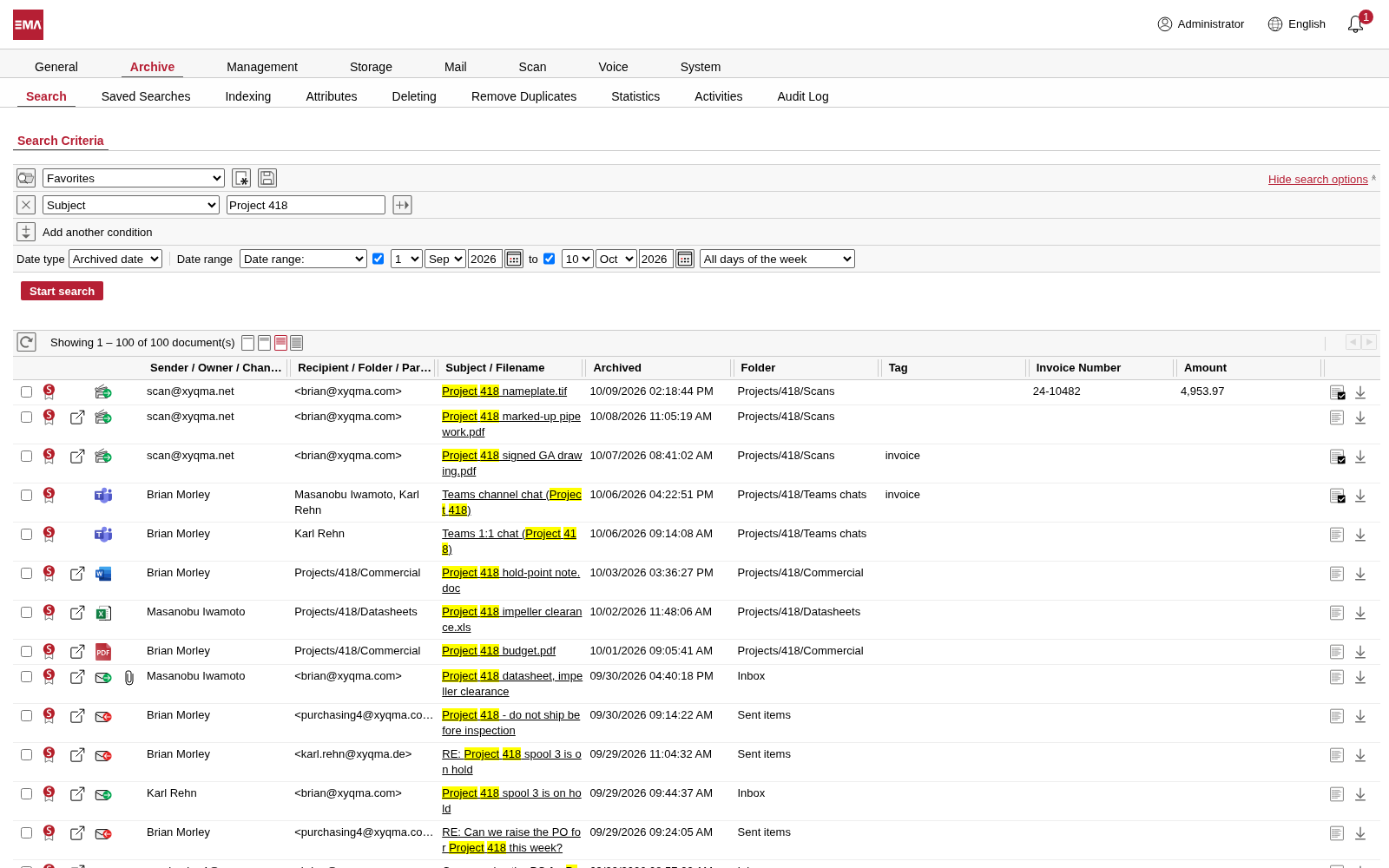
Save the search as a favorite
Mark it as a search restriction, and it can limit what an account is allowed to see.
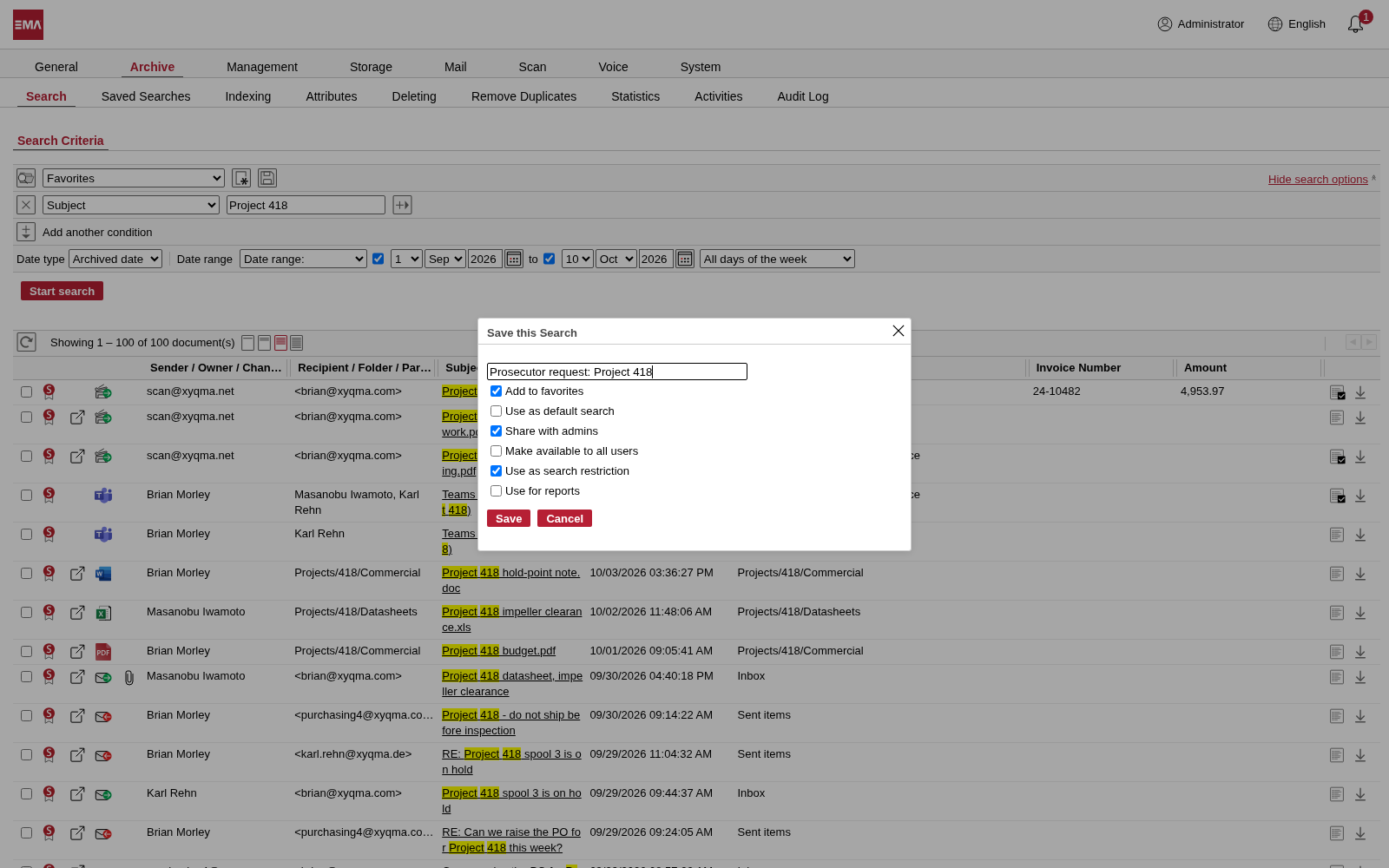
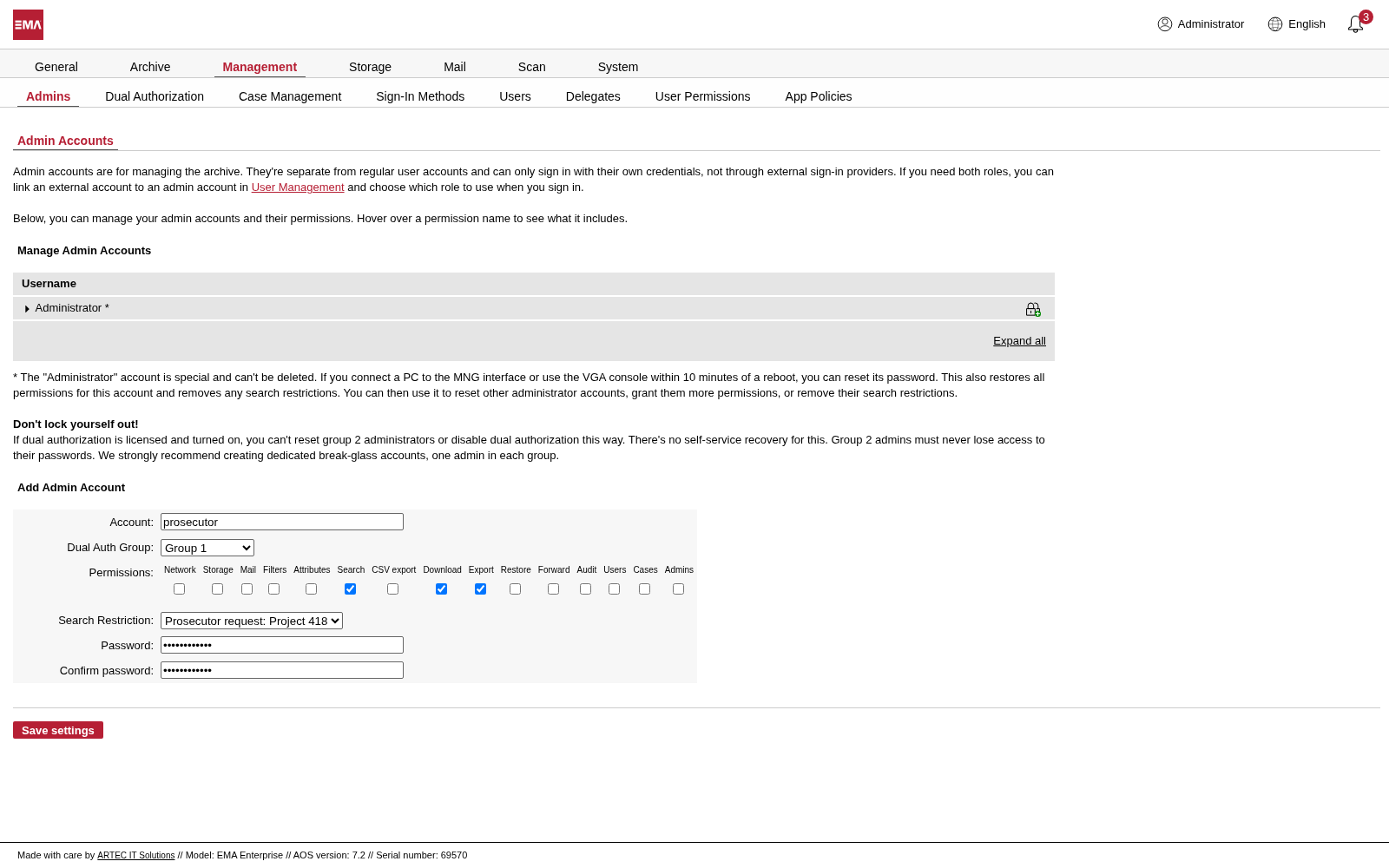
Create an admin account for the prosecutor
A new administrator account with every permission removed except search, download and export, limited to that saved search.
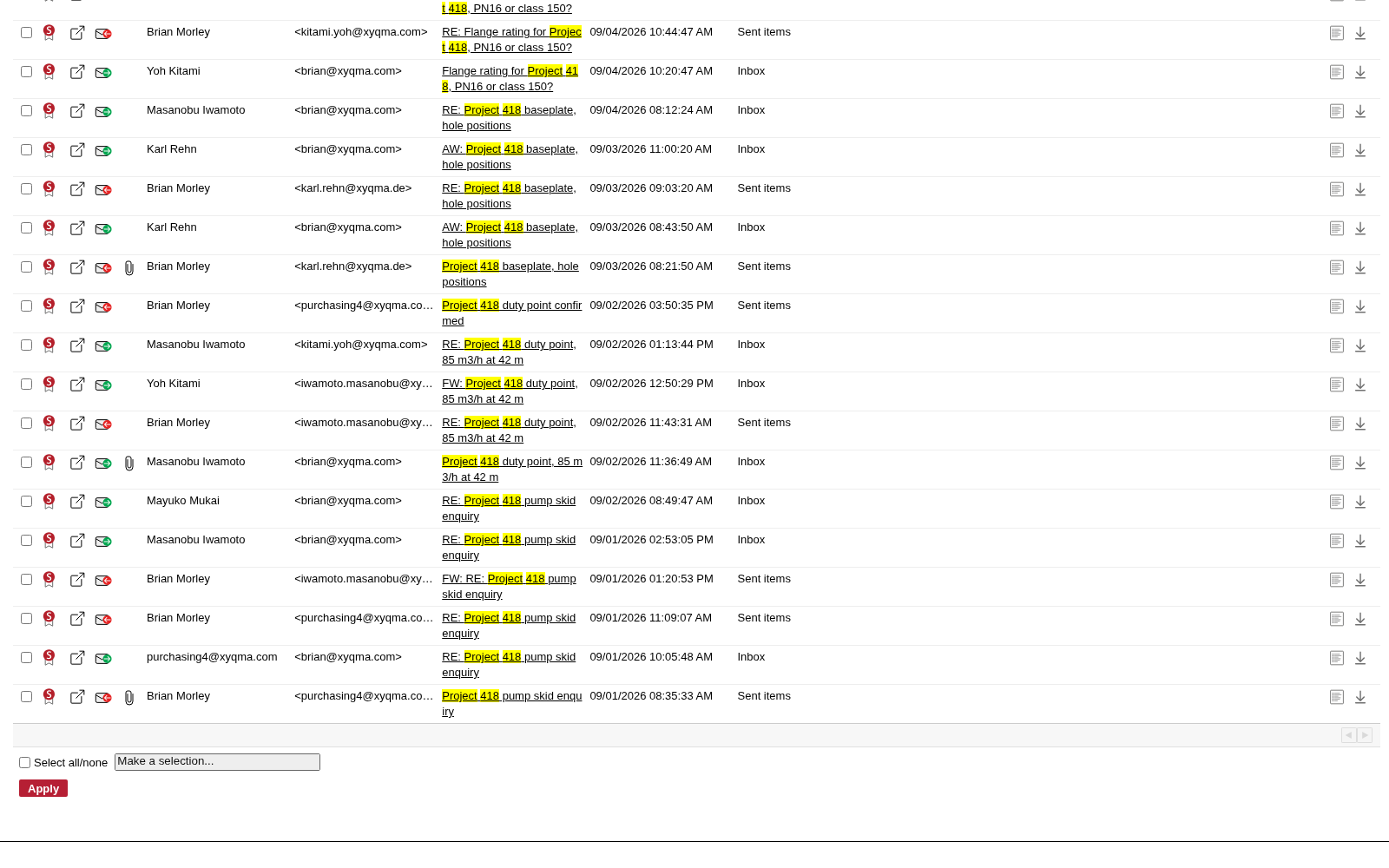
Sit them down at a laptop
The prosecutor searches, opens documents, prints them in bulk as PDF or exports a ZIP file. The only thing EMA can't do is serve them coffee.
A colleague leaves. Their mailbox is deleted. Their email isn't.
Share the account of someone who left
An administrator gives the new colleague access to the old account. The mailbox can be deleted on the mail server: the archive keeps every email.
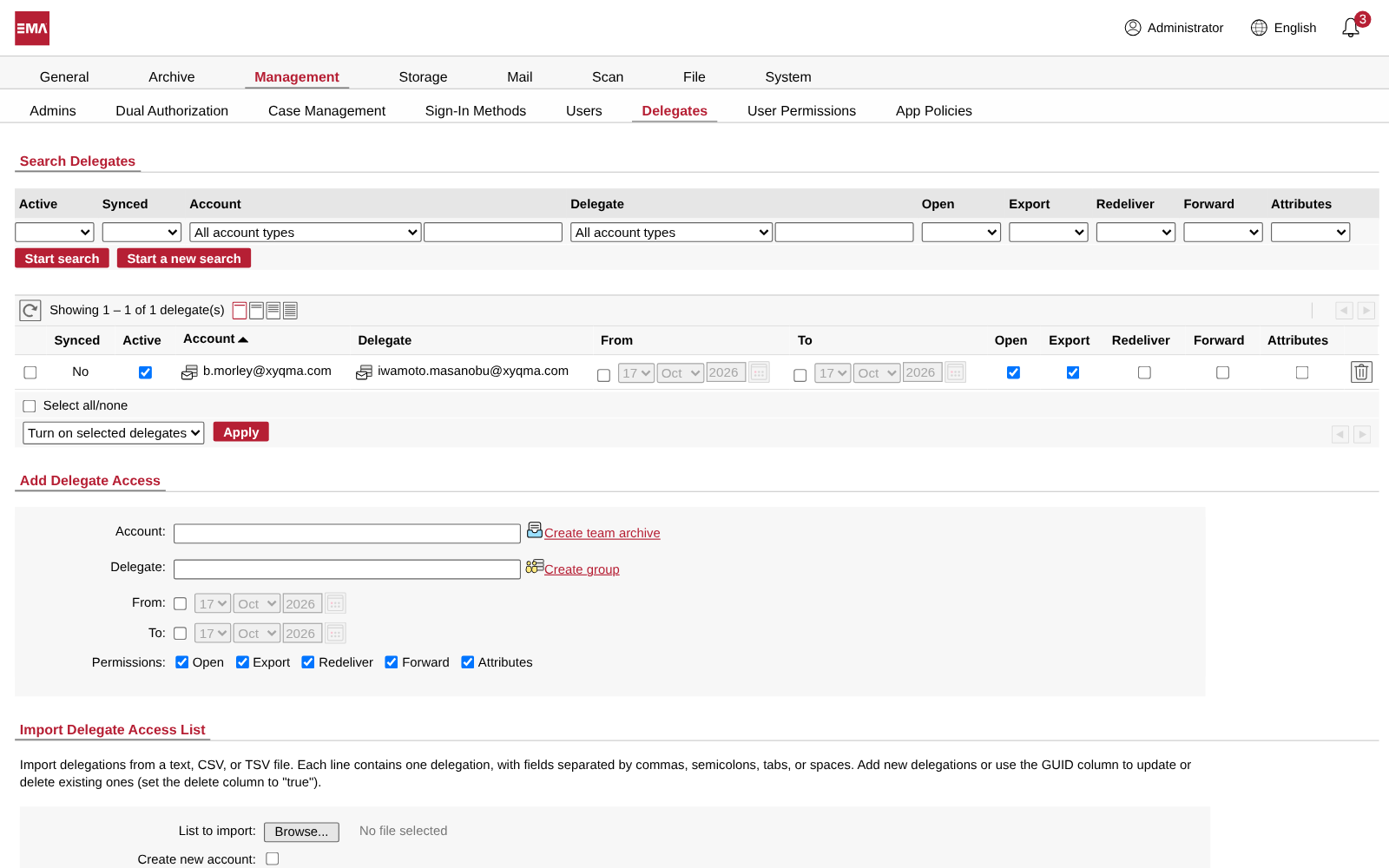
The colleague searches it
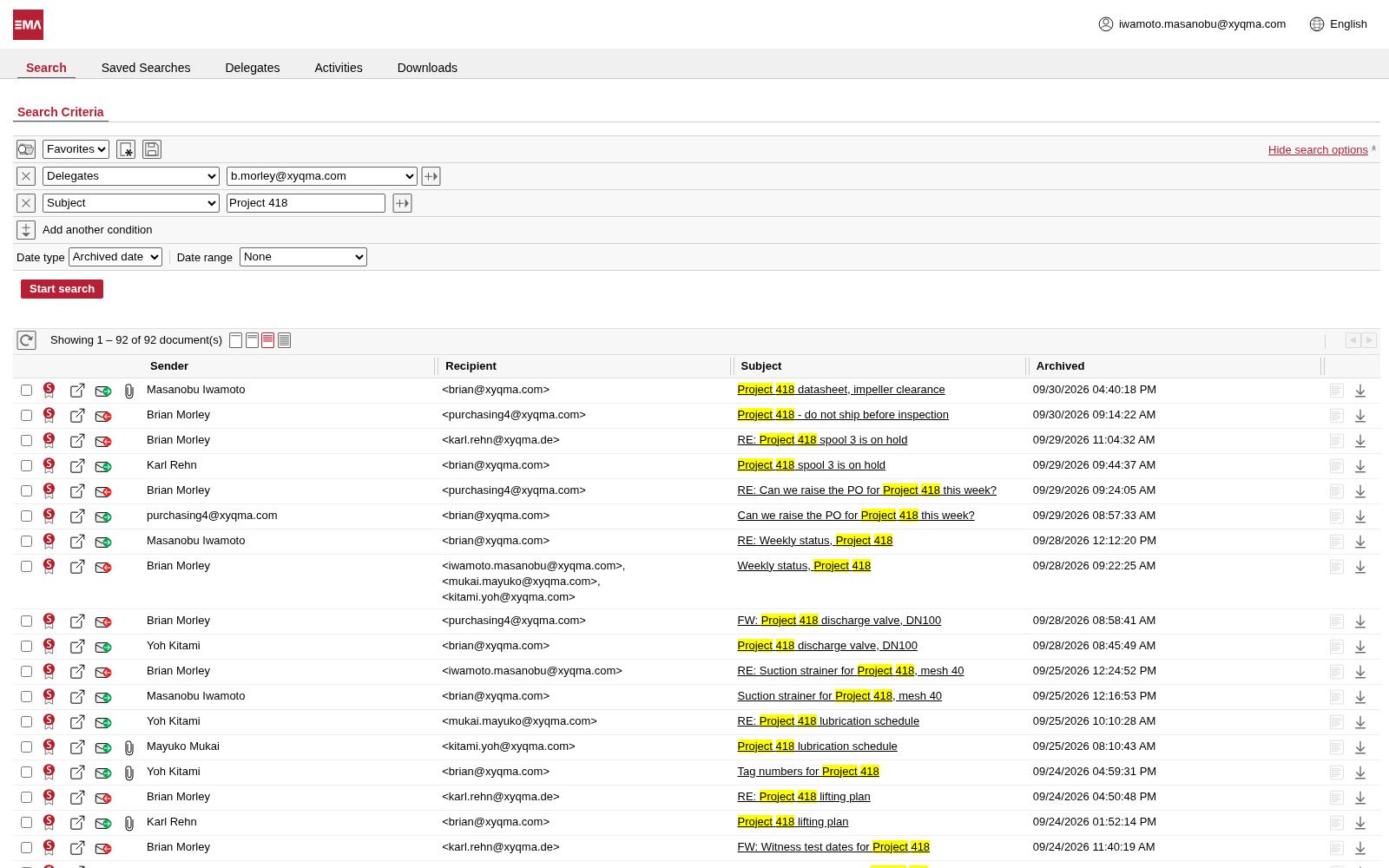
Masanobu signs in with his own account, chooses Delegates and Brian's account, adds a word from the project, and searches.
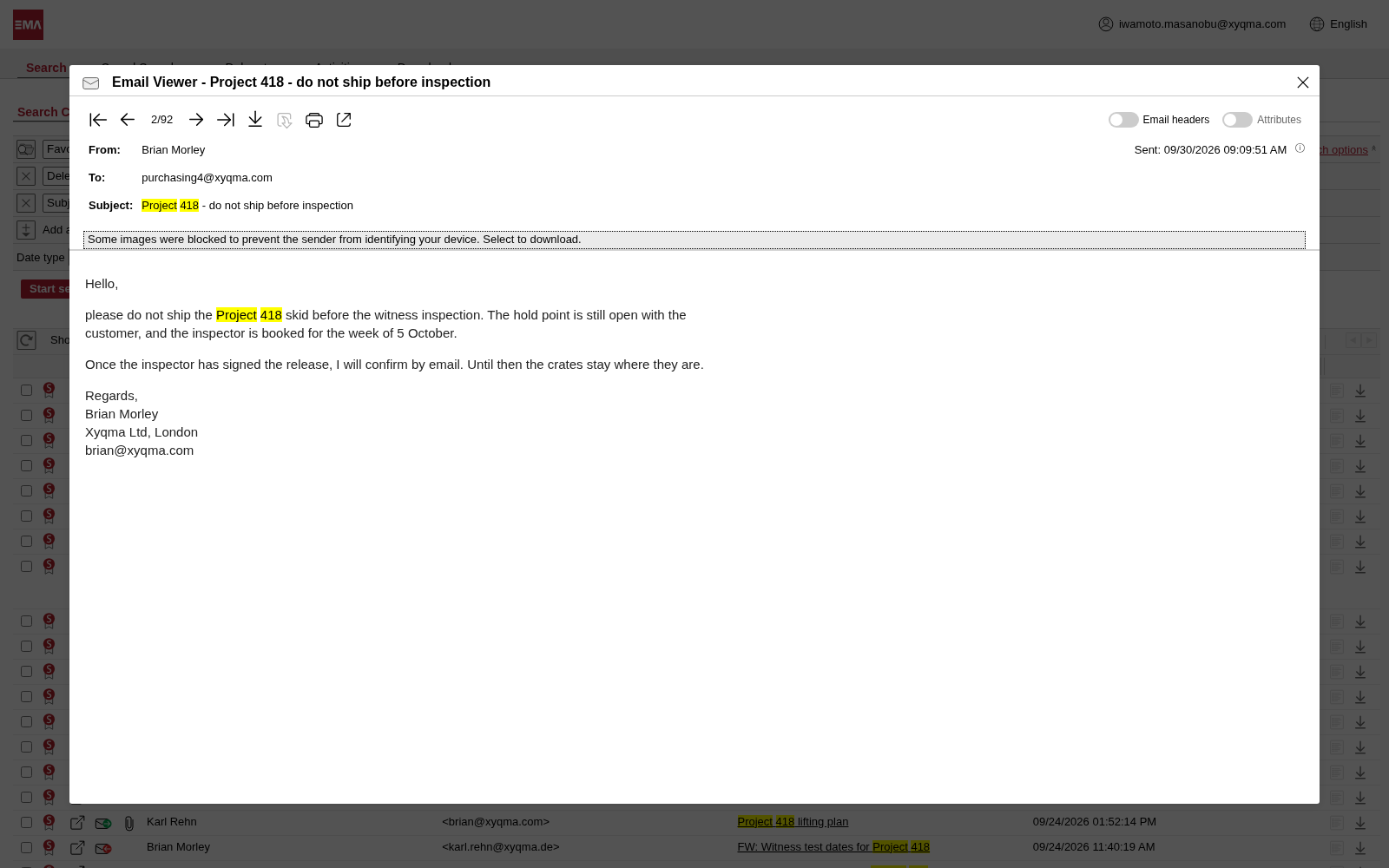
And reads the emails as they were
No shared mailbox on the mail server, and no old account kept alive in case something important is in it.
Questions about EMA Mail
Can people search the archive from Outlook, or from their phone?
Yes. EMA for Outlook runs in Outlook on the web, in classic and new Outlook for Windows and in Outlook for Mac, and Microsoft 365 tenants roll it out from Microsoft Marketplace. Users search their own archive and the mailboxes delegated to them without leaving their mail program. The EMA mobile app comes with every edition.
What happens to new mail while EMA is offline for maintenance?
It waits. The Cloud Connector holds your mail until EMA collects it again, and a journal mailbox on Exchange keeps its messages until EMA has archived them. EMA deletes a message from the queue only after it is safely in the archive. If you like, a health check warns you when nothing has been archived for a while.
Can we keep email for a minimum period, then delete it automatically?
Yes. Set a minimum retention period for all new mail, or per message with rules, and nothing can be deleted before it ends. One switch makes retention periods increase-only, and once it is on, it can never be turned off again. Deletion policies then remove mail by a saved search, its age and a schedule.
Can we delete someone's email after a GDPR request?
Yes, under control. Permissions decide who may delete, and deletions can require two admins from two groups. Minimum retention periods, legal holds and active cases protect what must stay, and every deletion is written to the Audit Log, so you can show what was deleted, when and by whom.
What happens to encrypted email from Microsoft 365?
Microsoft Purview can journal both versions of an encrypted message. You choose what EMA keeps: the encrypted original, the decrypted copy, or both. The decrypted copy is full-text searchable, so encrypted mail is as easy to find as the rest.
Are attachments searchable too?
Yes. EMA indexes the headers, the body and the attachments: PDF, Office and OpenDocument files, RTF, HTML, CSV and more, and emails attached to emails as well. With text recognition switched on, EMA even reads the words in scanned pictures and photos.
Does an email sent to 50 colleagues take up 50 times the space?
Not at all. EMA stores each message once and every mailbox archive points to that copy. Each copy that arrives adds the recipients EMA hasn't recorded yet, so the list of who received the message stays complete. Deleting the message from one mailbox archive never touches anyone else's.
Can users bring a deleted email back to their inbox?
If you give them the permission, yes. They send selected emails, or a whole search result, back to their own inbox with all the original headers. On Microsoft 365, EMA can put them straight into the mailbox.
In which formats can we get email out of EMA?
Single emails in their original format, password-protected ZIP files of a selection or a whole search result, PDF for printing, CSV lists of search results, and PST files for Outlook. If you want it, a ZIP export needs a second admin to approve it.
We are giving a former employee's address to a new colleague. Who sees which mail?
Each sees their own. EMA can read the date a mailbox was created from Active Directory or Entra ID, and the new colleague then sees only mail from that day on. Admins still see everything, and the old mail stays where it belongs.
We are moving to Microsoft 365. Do we have to move the archive to EMA Cloud?
Only if you want to. EMA On-Premise Classic and EMA On-Premise Flex archive Microsoft 365 through the ARTEC Cloud Connector, just like EMA Cloud. EMA always connects out, so your archiver never has to be reachable from the internet, and a script registers EMA in your tenant, asking before each step.

In 10 minutes you know if we fit.
Book a demo. We start with the honest version: what EMA does, what it does not, and whether it suits your company. If it does, we spend another twenty minutes on the details.