
How it works
Ransomware needs a path. VSTOR Vault doesn't have one.
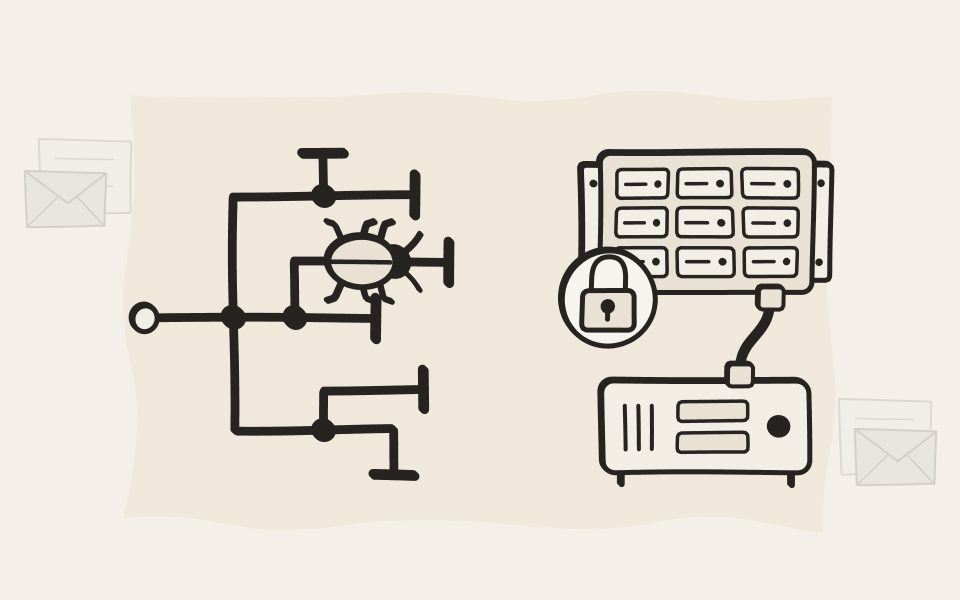
Ransomware spreads by finding what it can reach over your network. VSTOR Vault is cabled only to your EMA archiver and has no IP address, so the archive it holds is not on the map.
Watch the video
The EMA Cyber Defense System
How EMA and VSTOR Vault keep your records out of an attacker's reach, in under three minutes.
See it in EMA
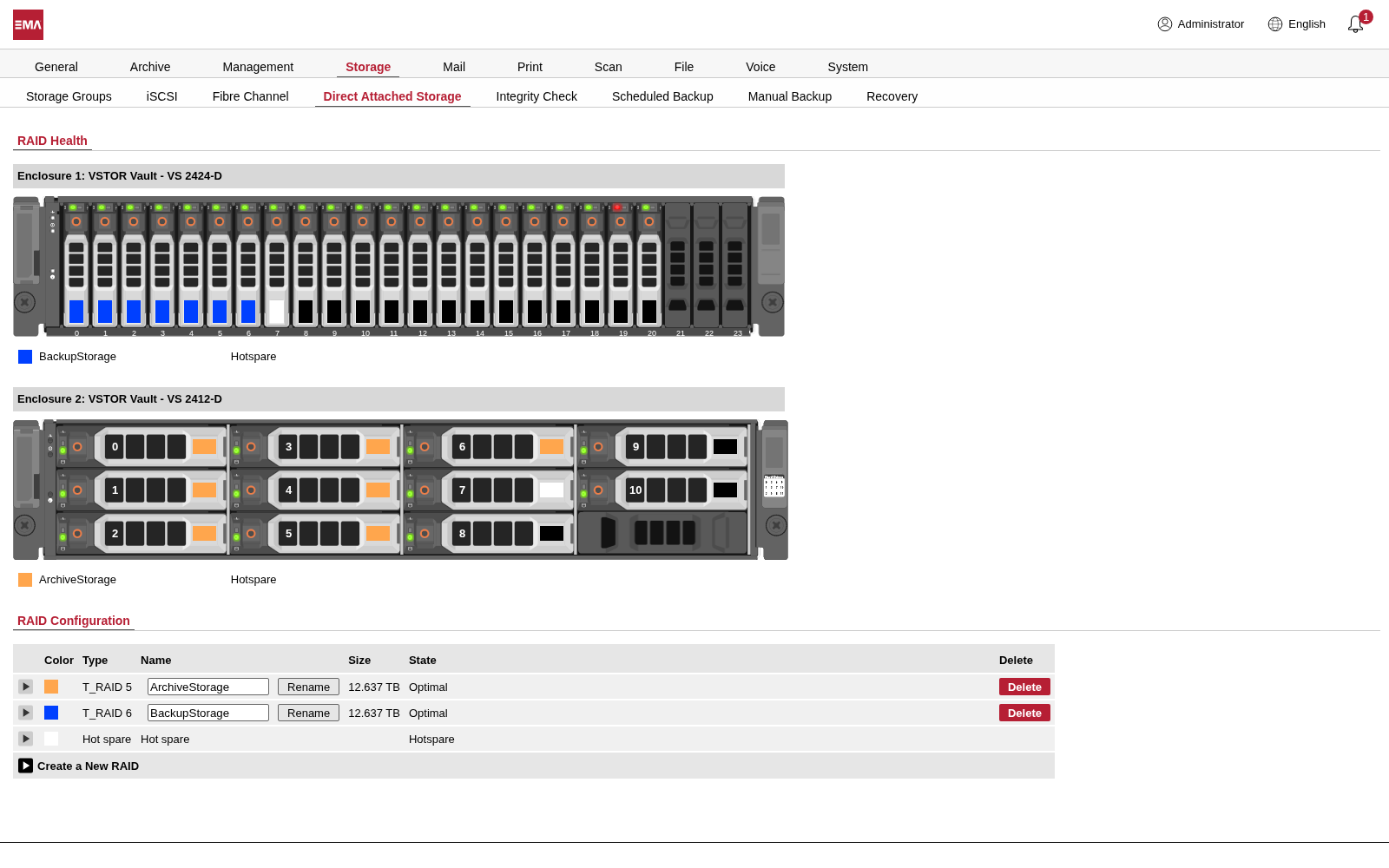
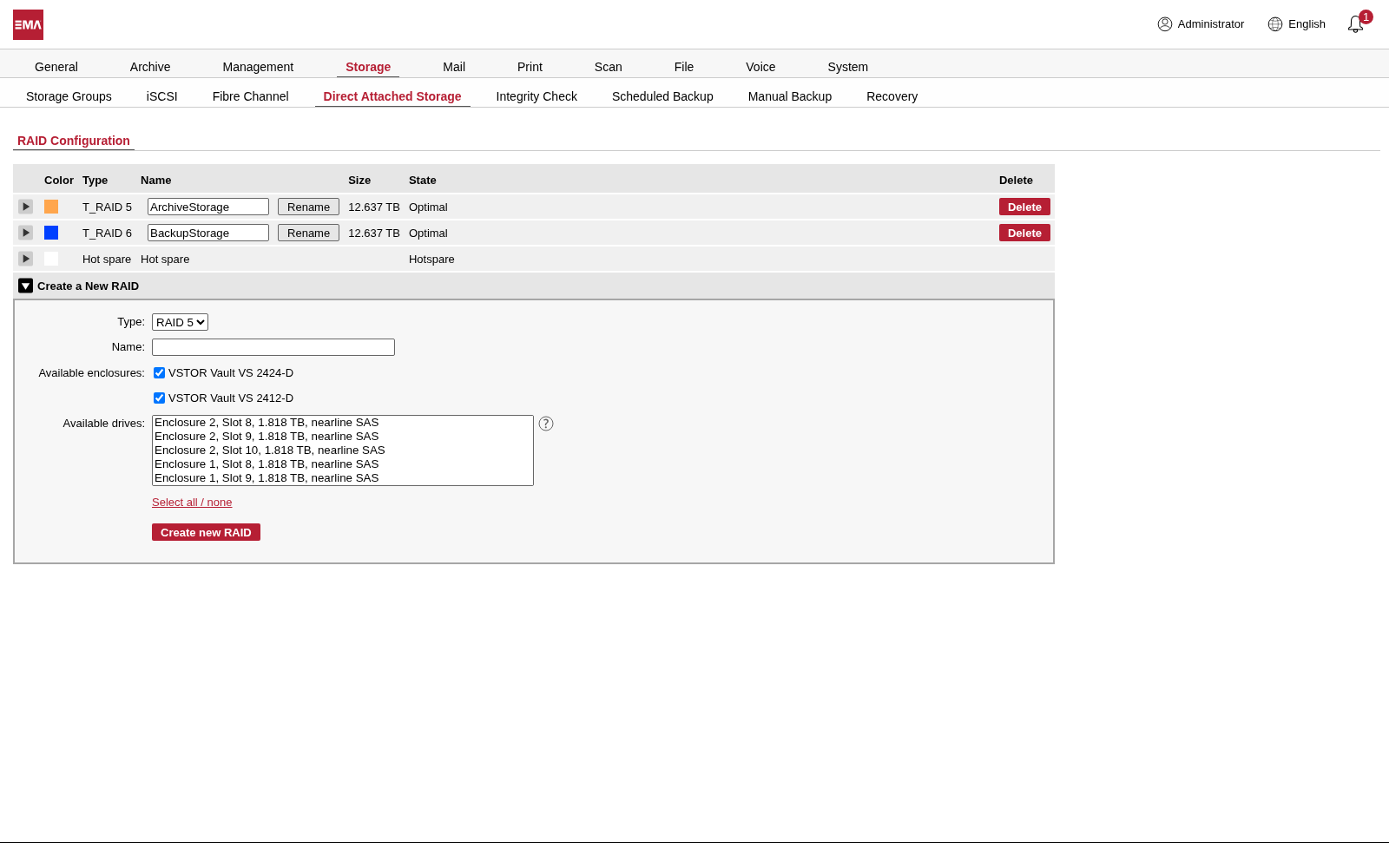
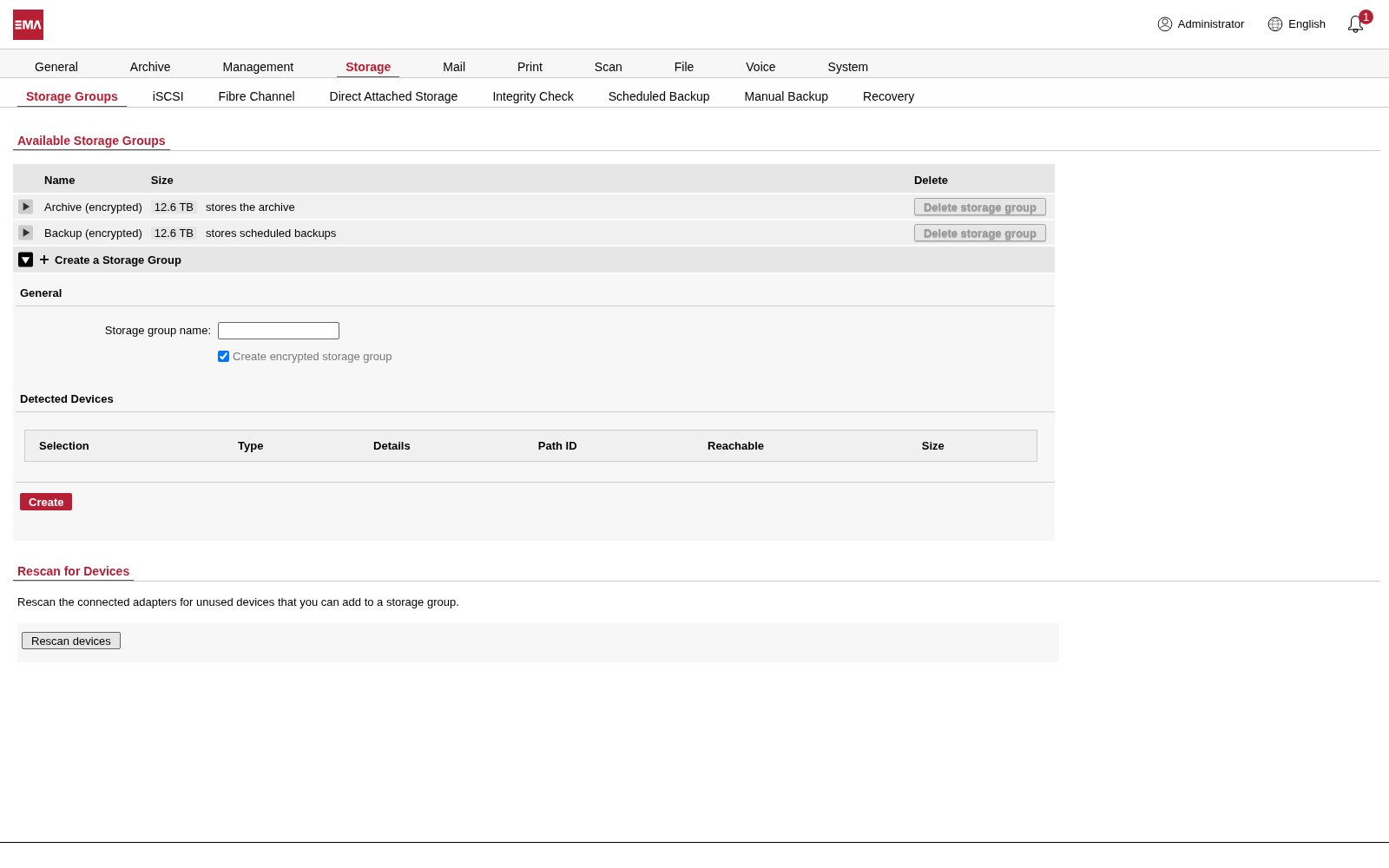
Three pages of the EMA web interface, with two VSTOR Vault shelves attached.
See every drive
EMA draws each shelf as it stands in your rack, drive by drive, with its RAID in color and its state at a glance. A drive that fails shows up red, and a rebuild shows its progress. Not sure which drive it is? Make its light blink and find it in the rack.
Set up the way you want it
When we deploy VSTOR Vault, we ask how you want it set up: RAID 5 or RAID 6, and a hot spare drive that takes over by itself when a drive fails. The rebuild then starts on its own. You can change the RAIDs later in EMA.
Encrypted, if you want it twice
Every document in EMA is already encrypted, with a separate key for each archive. On top of that, a storage group on VSTOR Vault can be encrypted as a whole. Its key stays inside EMA, and restoring EMA's encrypted configuration backup brings it to a replacement archiver.
A separate copy
EMA keeps its own copy of every email, file, print job, scan and call, apart from mailboxes and shares.
Off your network
On VSTOR Vault, that copy sits behind the archiver on a SAS cable, with no IP address.
Encrypted
Each archive has its own AES-256 key. A drive that leaves the building is useless to whoever has it.
Signed and chained
Every document is signed when it arrives. A later change to any of them shows up.
Checked
The Integrity Check reads everything back on a schedule, your backup storage included.
Two admins, not one
With dual authorization, one stolen admin account can't delete or export the archive alone.
Watched around the clock
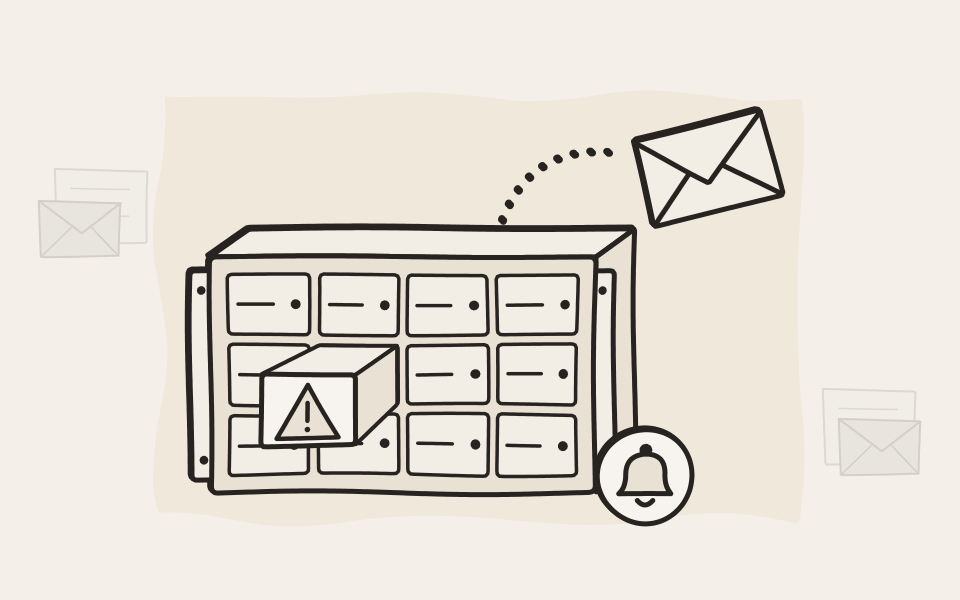
EMA watches the drives, the power supplies, the fans, the controller battery and the temperature. When a drive fails or is about to, you get an email and an SNMP trap, and EMA shows the warning when you sign in.
Two archivers, one shelf or two
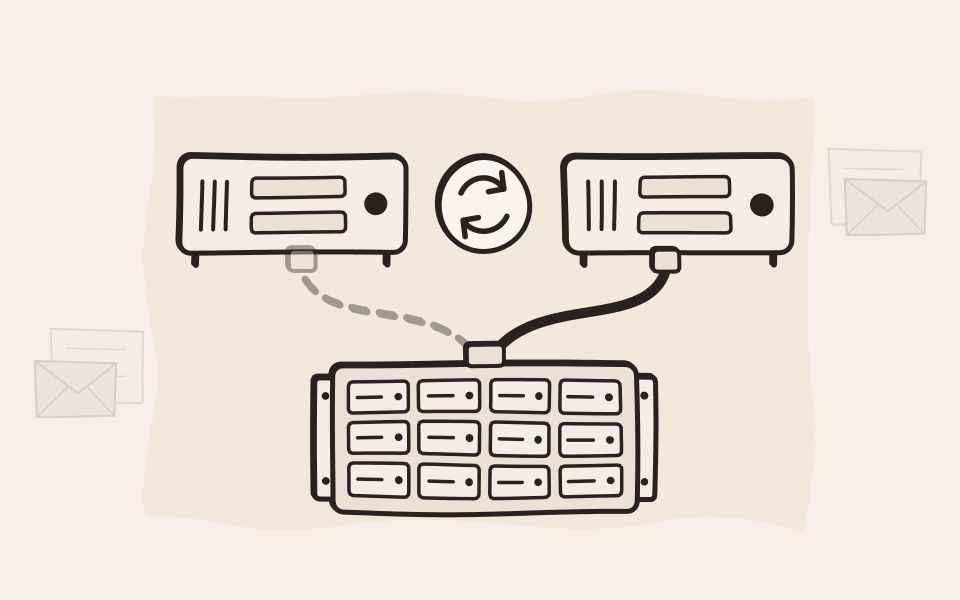
With a Hot Standby EMA, each archiver can have a VSTOR Vault of its own, kept in step by EMA's scheduled backup. Or you buy one shelf and move its cables over to the standby when you switch.
The day ransomware hits
The next morning, you keep working
- Day 1
Ransomware spreads, but your archive is spared
It moves through your network and encrypts what it can reach: mailboxes, file shares, network drives, often the backups too. The archive copy on VSTOR Vault has no network address to target, because it was never on your network in the first place.
- Day 2
Work is impacted, but nobody has to go home early
Your staff search the archive and open the emails and documents they need, while IT reimages servers and restores backups. Your business continues to function.
- Day 3
You put things back
The Integrity Check confirms that the archive is intact, and you return lost emails and files to mailboxes and shares from EMA.
- Week 1
You fill the gaps
Restoring the backups shows what they missed: a share that was never in the plan, a backup that was encrypted too. You fill those gaps from the archive.
- Week 2
You don't negotiate
You have everything you need, and the business kept running all along. There is nothing to pay a ransom for.
Questions about how it works
Is this a backup?
No, and it doesn't try to be one. A backup brings whole systems back as they were: servers, mailboxes, file shares. An archive keeps every email and document, signed and searchable, for as long as you must keep it. They do different jobs, and you need both. VSTOR Vault can also hold EMA's own scheduled backup, on a storage group of its own, but your company's backups stay where they are.
Is it an air gap?
No. A system behind an air gap has no connection at all, so nobody can search it either. VSTOR Vault stays connected to the EMA archiver, so your staff can search the archive at any time. The storage is off your network, not offline.
Can anything else read the shelf?
Only if you switch it on. EMA can publish the storage as a read-only, password-protected network share. You need that when a replacement archiver has to fetch the archive from the old one. Nothing can change or delete the archive through it, and whoever reads it sees only encrypted files.
Can anything else write to the shelf?
Technically yes, in practice no. You could open a read-write network share on it via EMA, but that would give up the very thing that protects it. If you have other data you want on VSTOR Vault, put it into EMA through our APIs instead. You hand in a file with its metadata and get an ID back, much like object storage. It then gets the same protection as your archive.
Is it ransomware-proof?
No product is, and we don't claim it. VSTOR Vault takes the archive copy off your network and keeps it encrypted. Digital signatures show if anything was changed, the Integrity Check confirms that everything is intact, and dual authorization stops one stolen admin account from deleting the archive.
What about EMA Cloud?
EMA Cloud brings its own storage. Each customer gets a virtual instance of EMA and virtual block storage of their own, both encrypted per customer, so there is no shared storage for ransomware to spread through. VSTOR Vault is the option for EMA On-Premise Flex and EMA On-Premise Classic.
There have been several major cyberattacks on car dealerships, some with ransomware, and they often crippled operations for weeks. That was a nightmare we were determined to avoid. With EMA, we can keep data so that it is protected against manipulation and completely out of reach of unauthorized parties and cyberattacks.

See it with your own archive
We'll show you how EMA and VSTOR Vault fit your network, and size the storage with you.