
Search
Find the one thing that matters
One search covers email, files, chats, scans and phone calls, down to the words in a photo. Enrich documents with attributes of your own, and search from Outlook or your phone.
One box
As easy as a web search
Type a few words and EMA looks through mail, files, chats, scans and phone calls at once. Too many hits? Narrow them down.
Like it used to be
Type what you remember. Get what you were looking for.
Remember Lookout, the Outlook add-in that found any mail the moment you typed? That feeling is back for everything your company keeps, with one search across mail, files, chats, scans and calls.
Our employees like using the search. When they look for an email, they would rather use EMA than the mail program itself, because they find the search much better and faster.

Start broad, then narrow it down
Begin with a few words. Add conditions until only the documents you need are left.
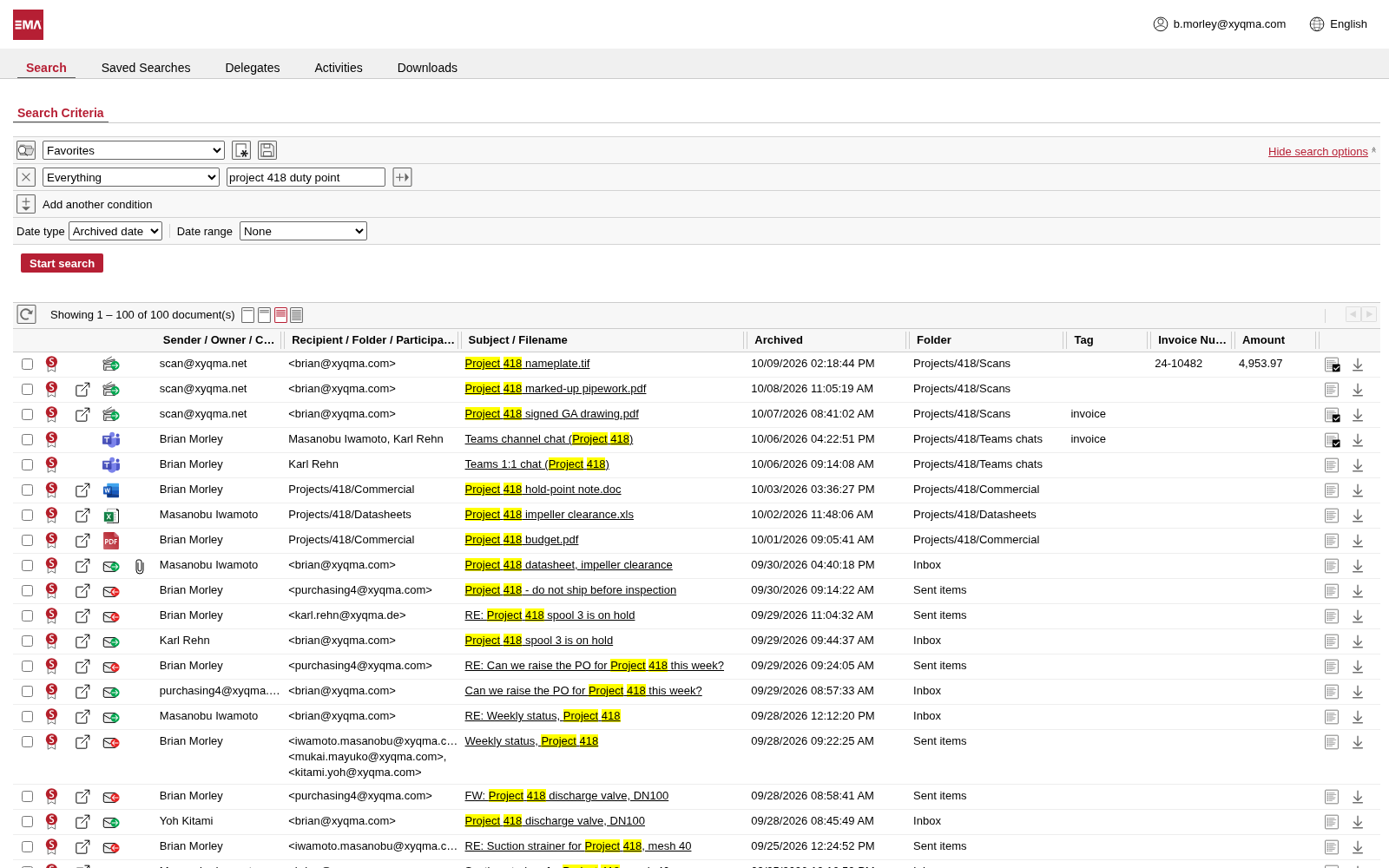
Type what you remember into the search box
The words you typed are highlighted in the list, whatever kind of document they were found in. Click a hit and it opens in the viewer. You can preview almost anything right in the archive.
- The search box covers subject, sender, recipients, message text and attachments.
- Your words are highlighted in every hit.
- Preview almost anything right in the archive.
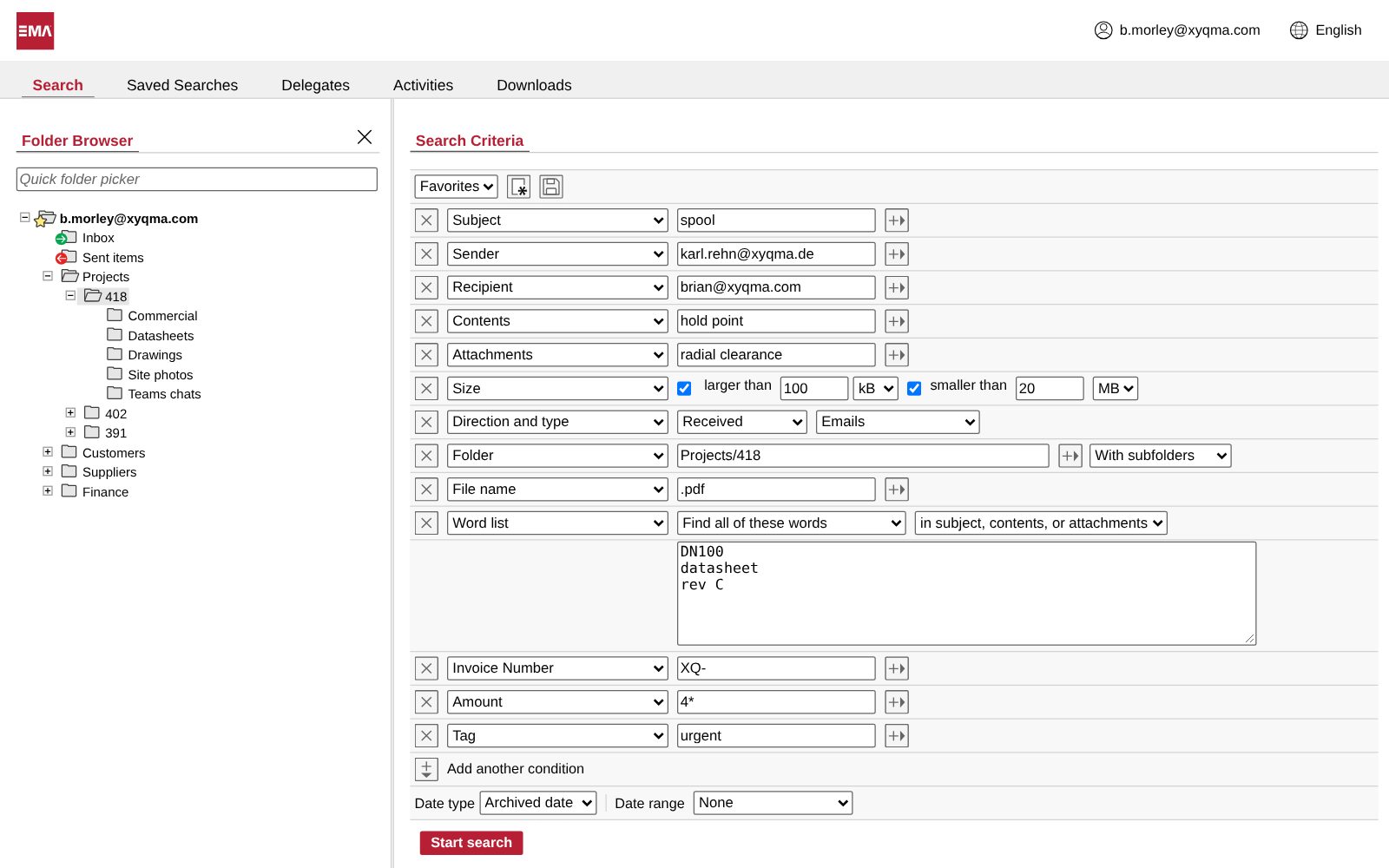
Add conditions to narrow it down
Stack as many conditions as you like: sender, recipient, folder, size, file name, kind of document, dates and your own attributes. Or paste a list of words and ask for all of them, any of them, or none.
- Pin a folder list and pick where to look.
- Every condition narrows the result. Add as many as you need.
- Paste a list of words and find all, any or none of them.
Indexing
EMA reads everything it keeps
Every document is read the moment it arrives, attachments and pictures included. What cannot be read yet is kept until it can.
Read on arrival
Every word is read
Every document is indexed as soon as it reaches the archive: headers, message text and attachments in Word, Excel, PowerPoint, PDF, OpenDocument and dozens of other formats. A mail attached to a mail is read with its own attachments, and text recognition reads the words in images and scans. Indexing runs in the background, so archiving never waits, and a new document is searchable within minutes.
Kept as it came
Every file is kept
Audio, video and other files without text are archived too, and found by sender, subject and date. When a firmware update learns to read a new format, they become fully searchable by themselves.
Words in images are words too
EMA reads the text in images and adds it to the search. The archive does this when it indexes the images in attachments and documents, and EMA Scan Client does it while you scan.
Find a car by its license plate
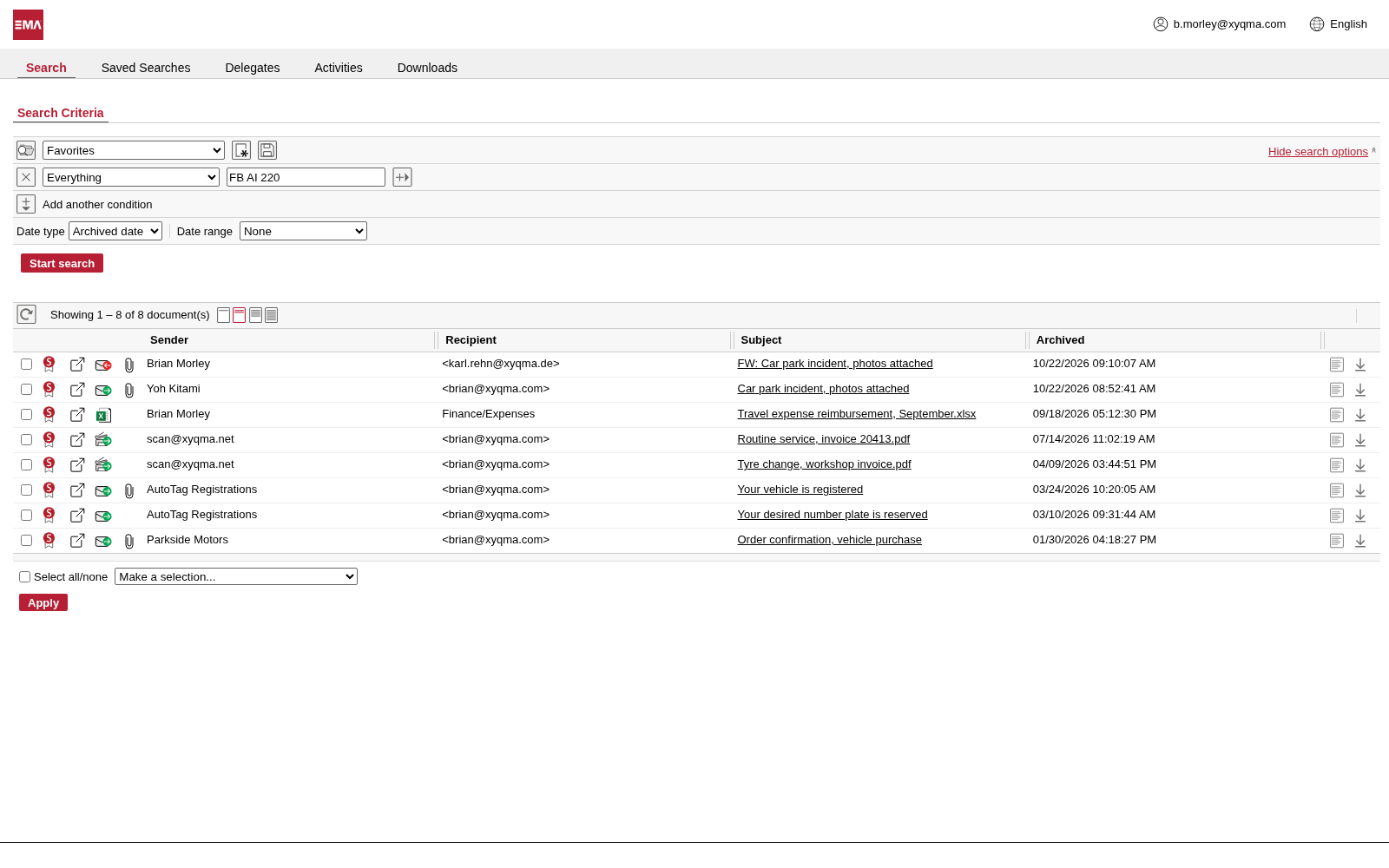
A colleague mails photos of a damaged company car. The plate is only in the pictures, not in the text of the mail. EMA read it from the photo, so a search for the plate finds that mail and the rest of the car's paper trail: purchase, plate reservation, registration, services and expenses.
- Search for the plate like any other word.
- The newest two mails have the plate only in an attached photo.
- The history of the car, back to the purchase.
The plate is in the photo
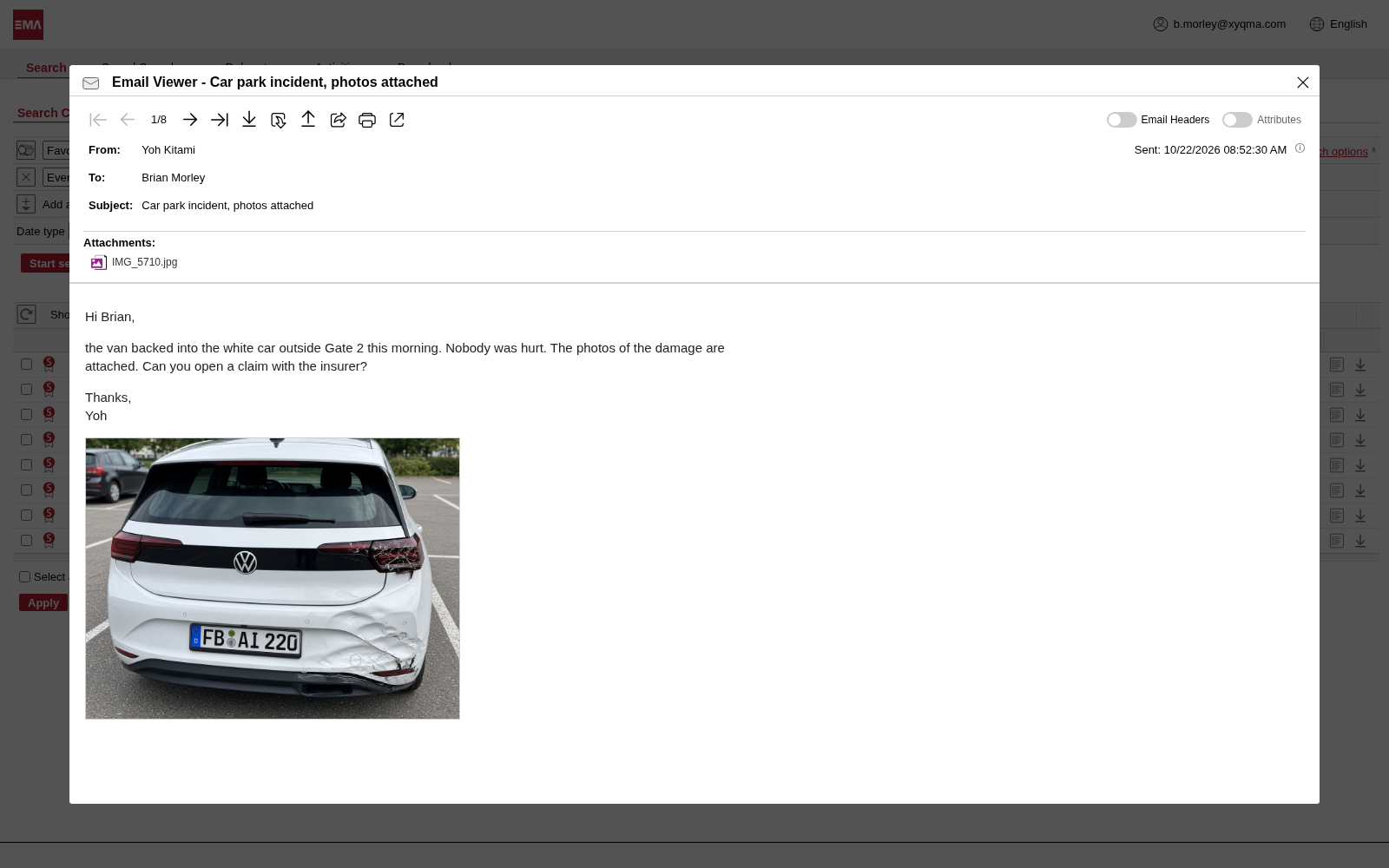
Open the hit and the photo sits in the mail, the plate sharp in the picture. EMA read it when the mail was archived, so the search matched the photo, not the sentence around it.
- The photo is attached to the mail.
- The plate you searched for.
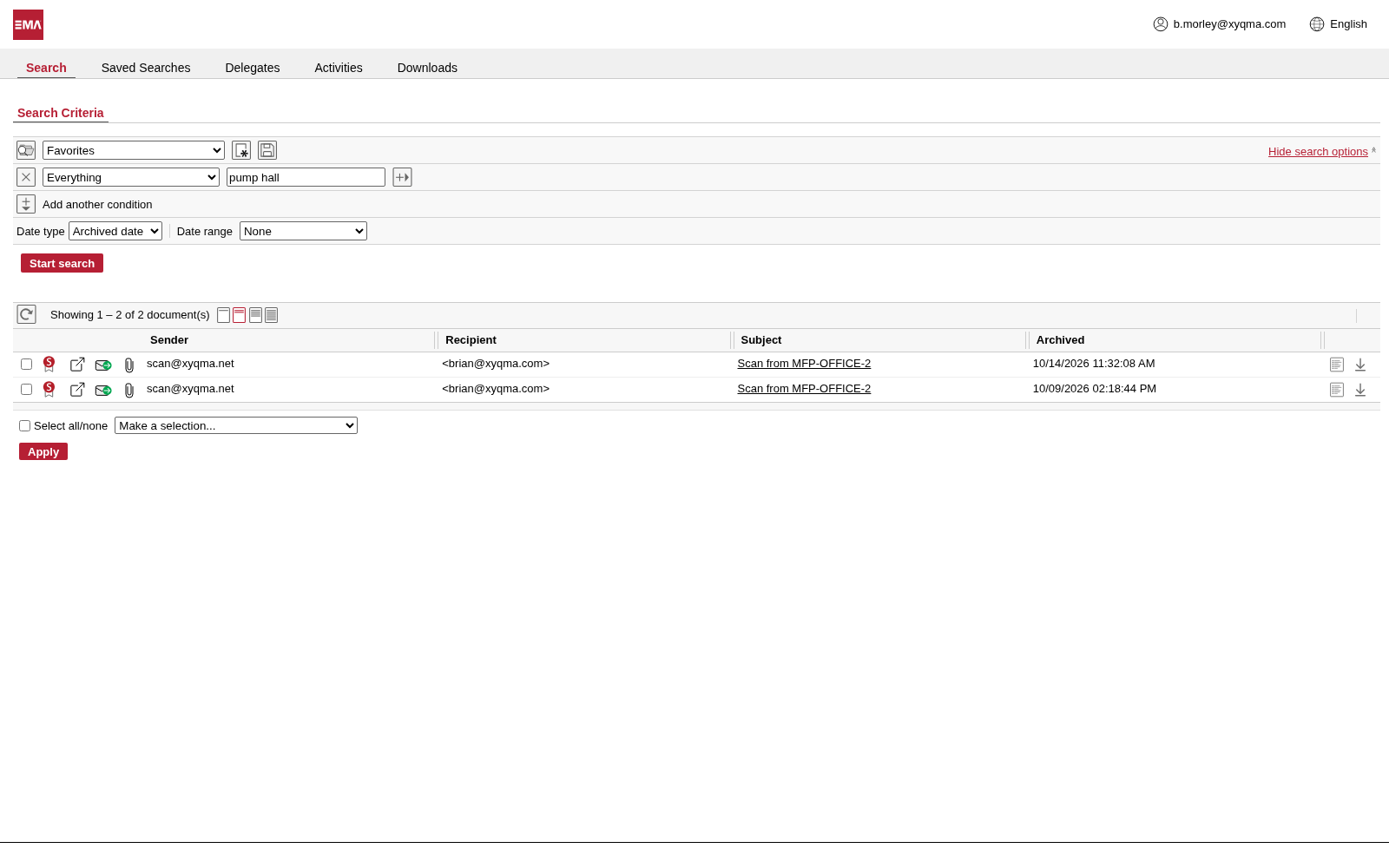
An email scan from the copier
A scan-to-email copier sends a floor plan as a PDF that is only a picture, with no text inside. A search for a word written on the drawing finds the mail all the same, though nothing in its subject or message mentions it.
- The word is only on the scanned drawing.
- Nothing in the subject hints at the drawing.
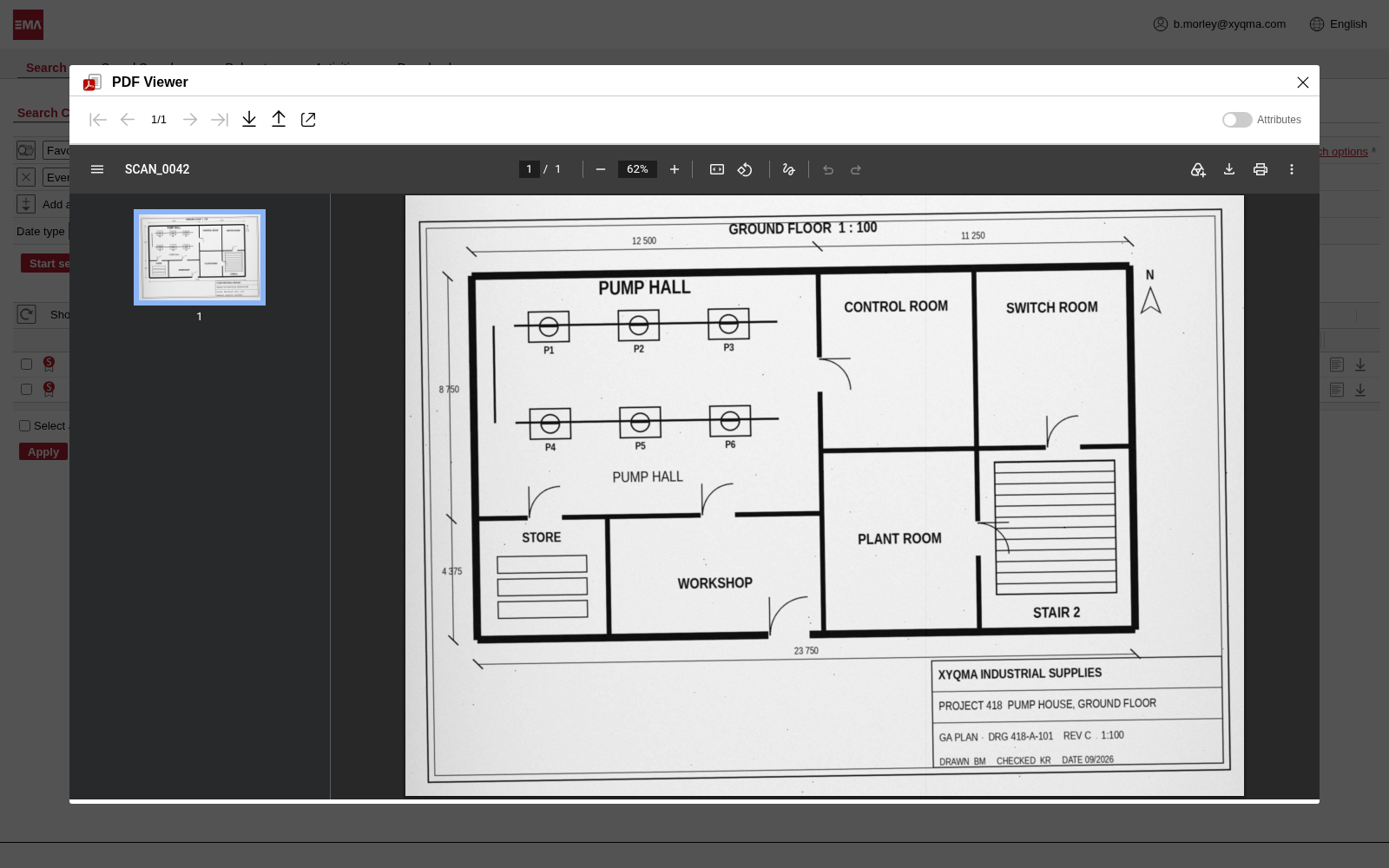
The drawing, readable as text
Open the PDF and it looks like any scan. EMA read the lettering on it when it archived the mail, so Pump Hall, Control Room and the other room names are searchable words.
- The words you searched for.
Attributes
Add what the documents don't say
Give documents fields of your own, such as a contract number, a project or a customer, and fill them in by hand, by rule or while scanning.
Define it, fill it in, find by it
Add up to 200 attributes. Search by them, show them as columns in the result and export them.
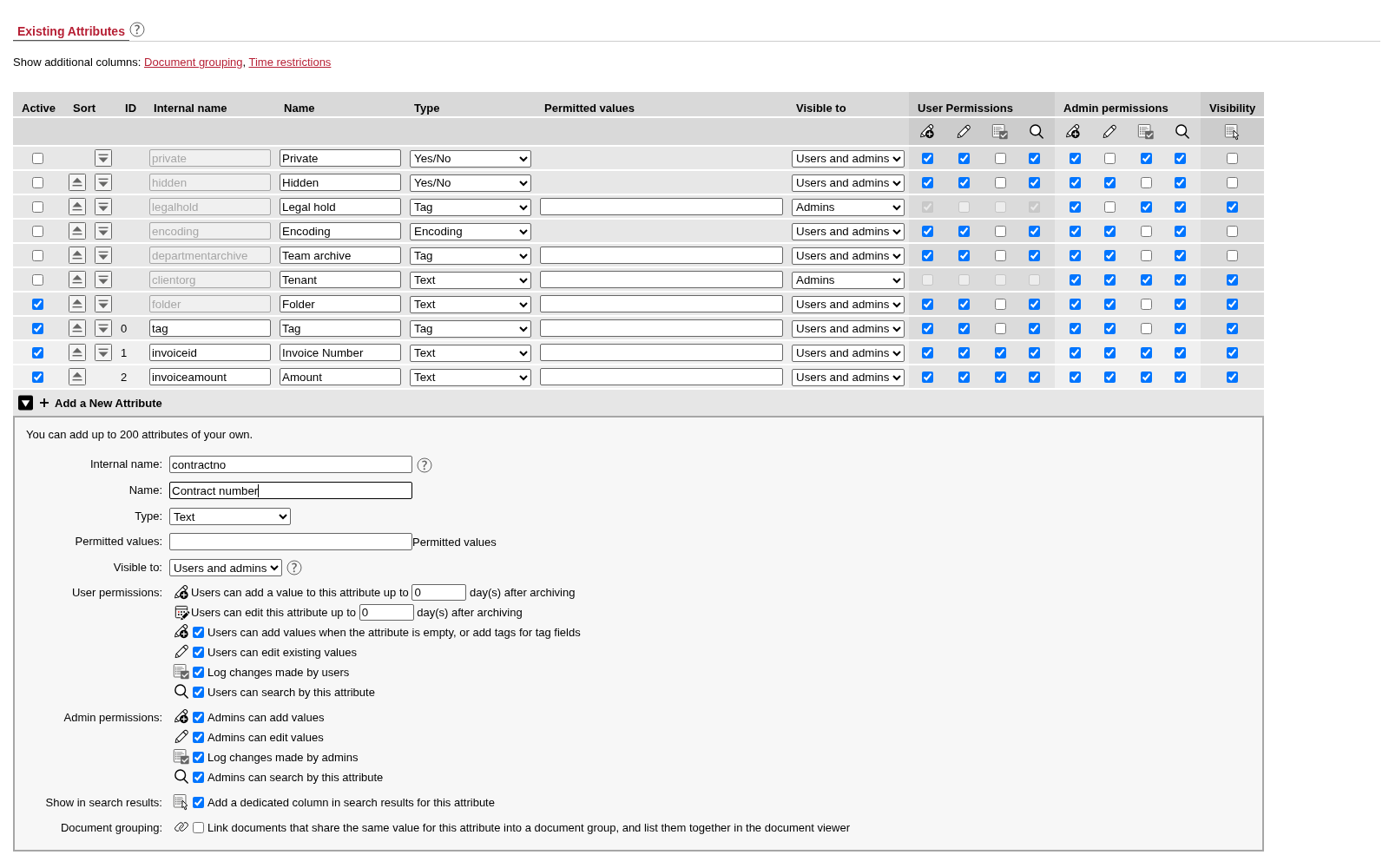
Define an attribute in a minute
Name it, pick a type and say who may add, edit and search by it. You can also set how many days after archiving a value may still be added or corrected.
- Give the attribute a name and EMA adds it to every document.
- Choose a type and the values people may enter.
- Decide who can add, edit and search by it, and for how long after archiving.
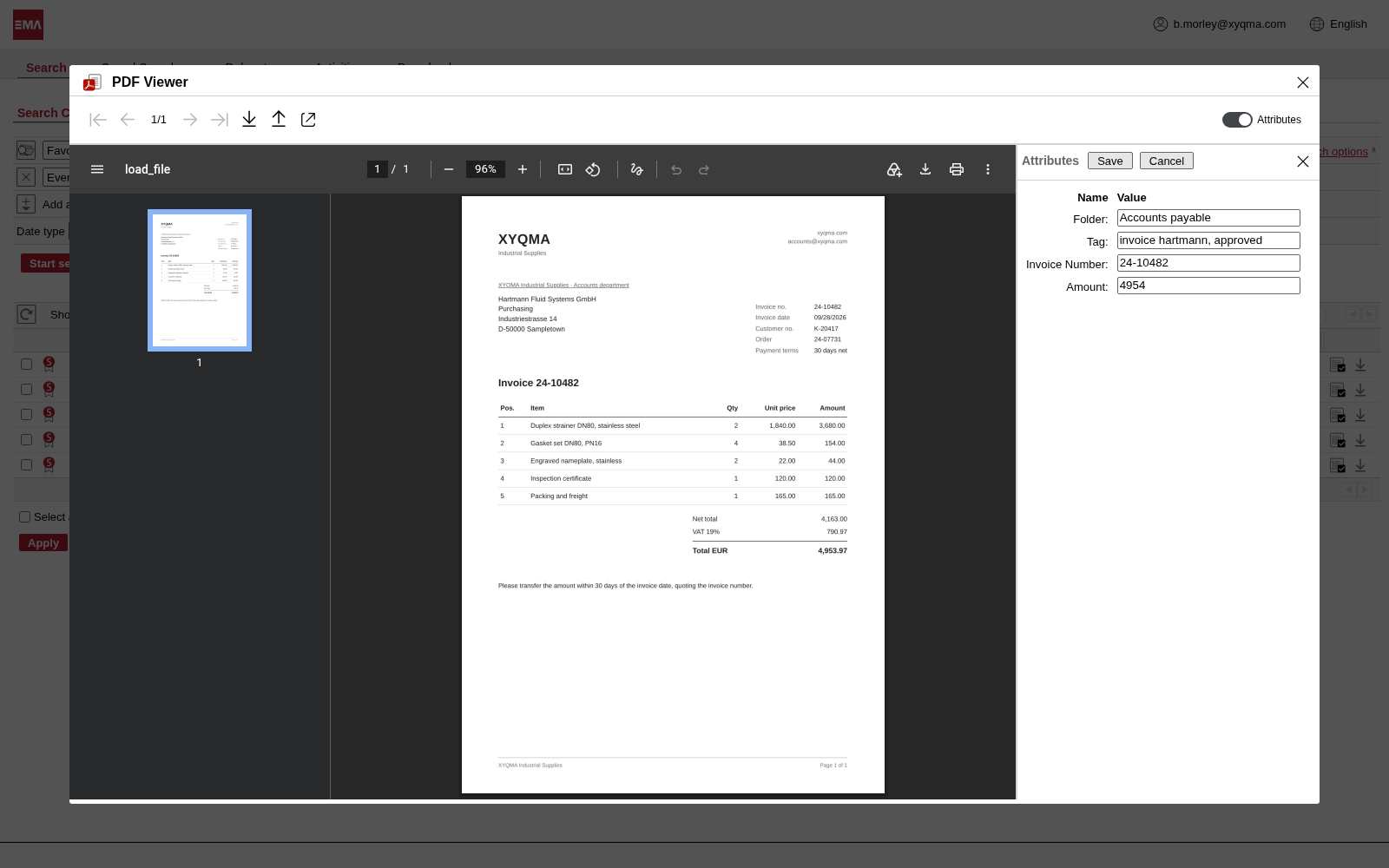
Edit it beside the document
Open a document and fill in or correct its attributes next to it. Searches and result columns pick the values up.
- Attributes sit right beside the document.
- Save the change; it stays with the document.
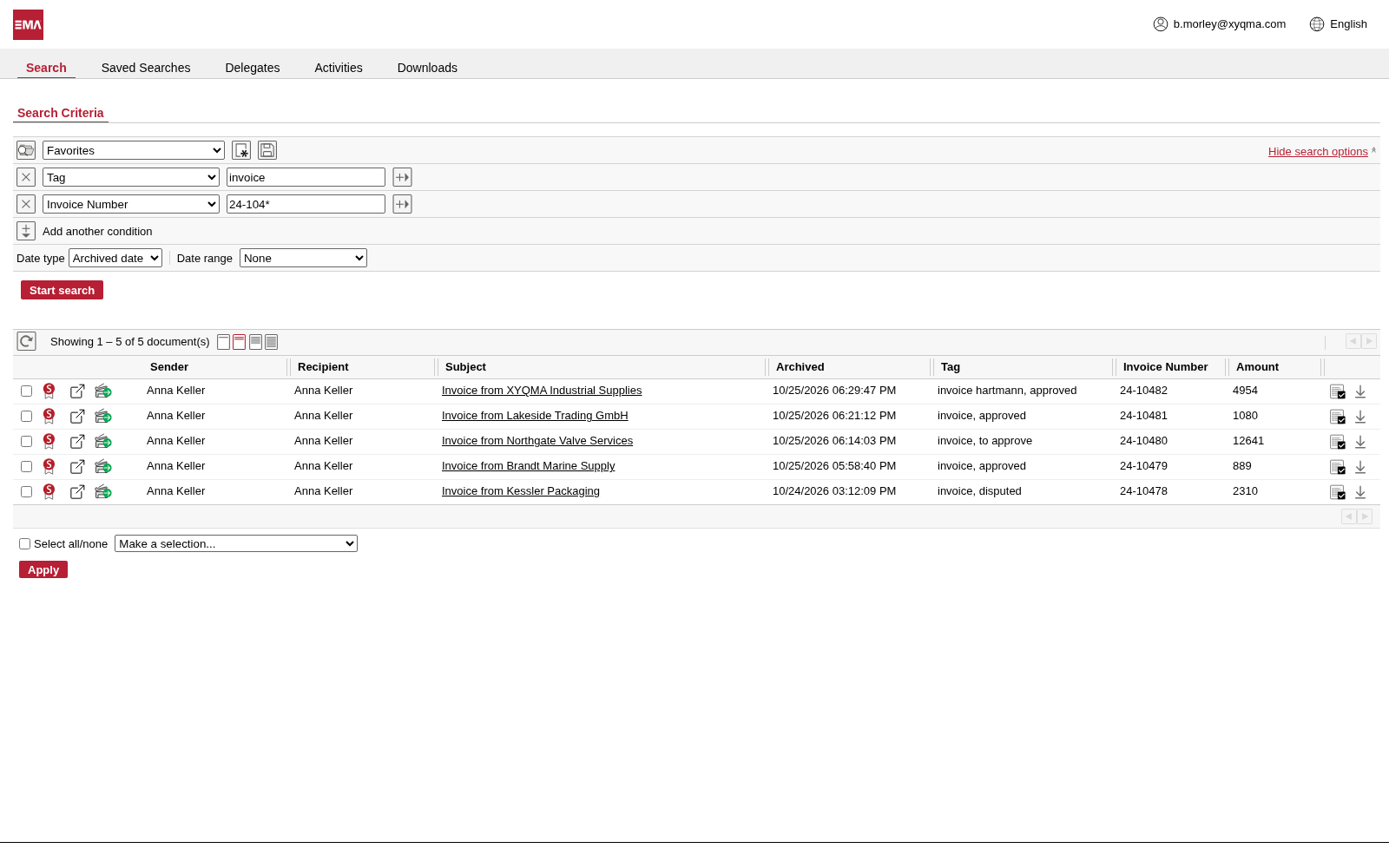
Find by attribute
Search by your attributes just as by any other field, and see them as columns in the result.
- Search by an attribute just as by any other field.
- Attributes show as columns in the result.
Anywhere
Search from where you work
In the browser, beside your mail in Outlook, or on your phone.
Outlook and the EMA app
The EMA add-in puts the archive beside your mail in Outlook: on the web, on Windows and on Mac. The EMA app does the same on Android and iOS, so the archive goes where you go.
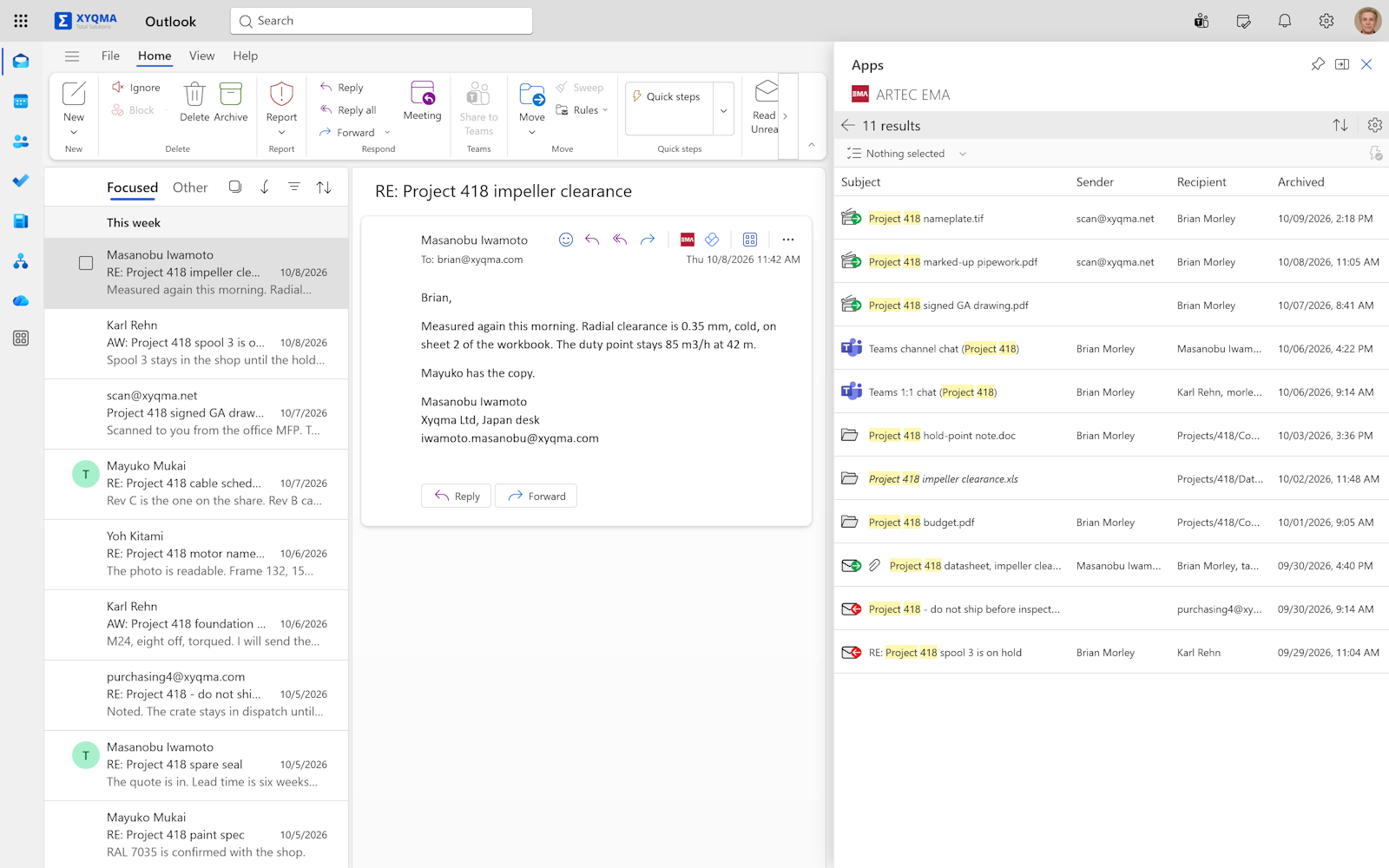
The archive beside your mail
If Outlook is where your day happens, EMA is one click away. The add-in searches the whole archive, not only mail. Printouts, scans, files, chats and phone calls are there too. Open a hit, preview it or run a saved search without leaving Outlook, with your folders and shared accounts at hand.
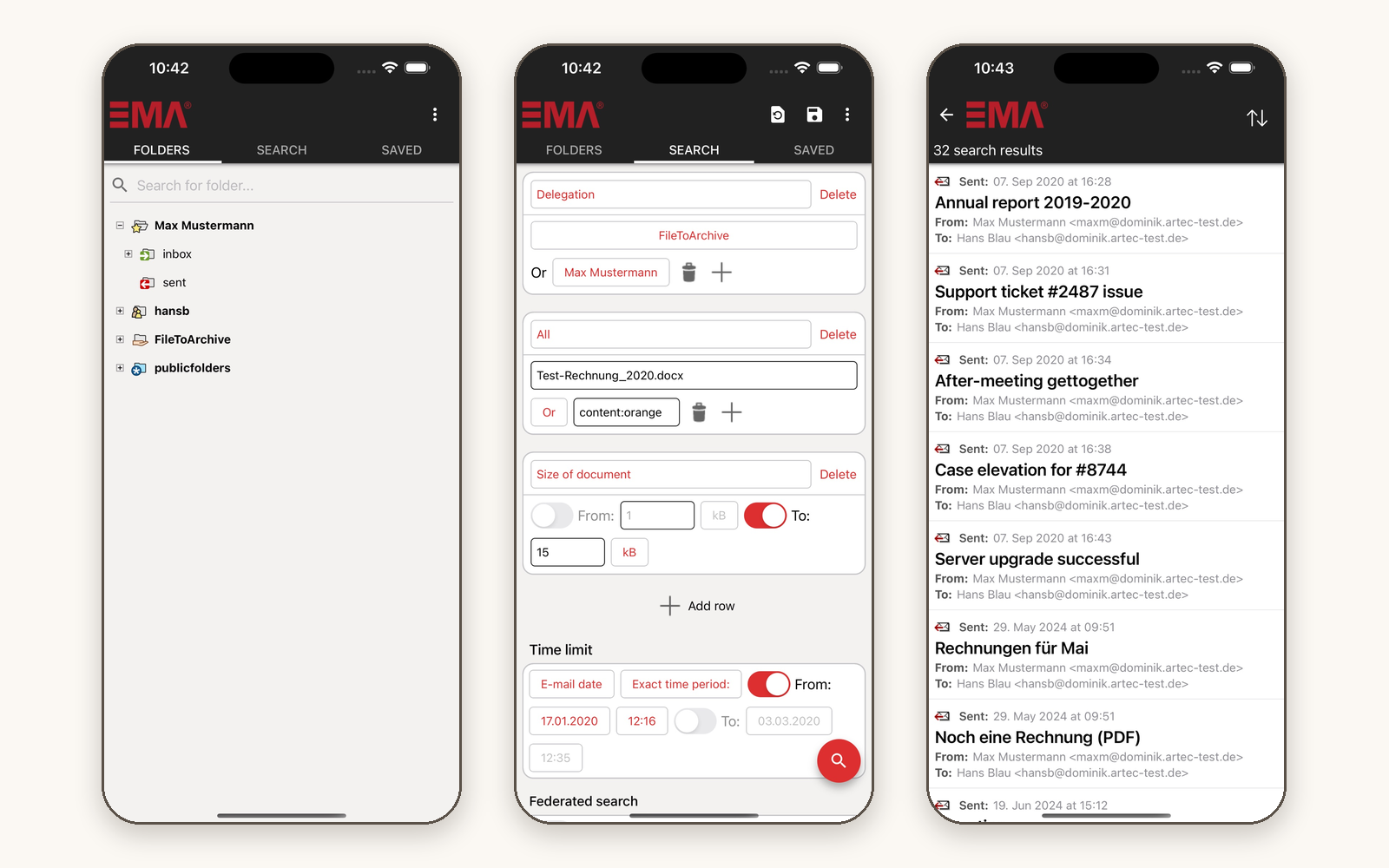
The archive in your pocket
The EMA app searches and browses your archive from Android and iOS, just like the web interface. Let everyone with an account use it, or manage it with mobile device management so that only approved devices get in. The app connects straight to your own archive. No server sits in between, and we don't see your data. If your MDM already routes devices through a VPN, our app works through it.

In 10 minutes, you'll know if we're a fit.
Request a demo. We start with the honest version of what EMA does and doesn't do, and whether it suits your company. If it does, we spend another twenty minutes on the details.