
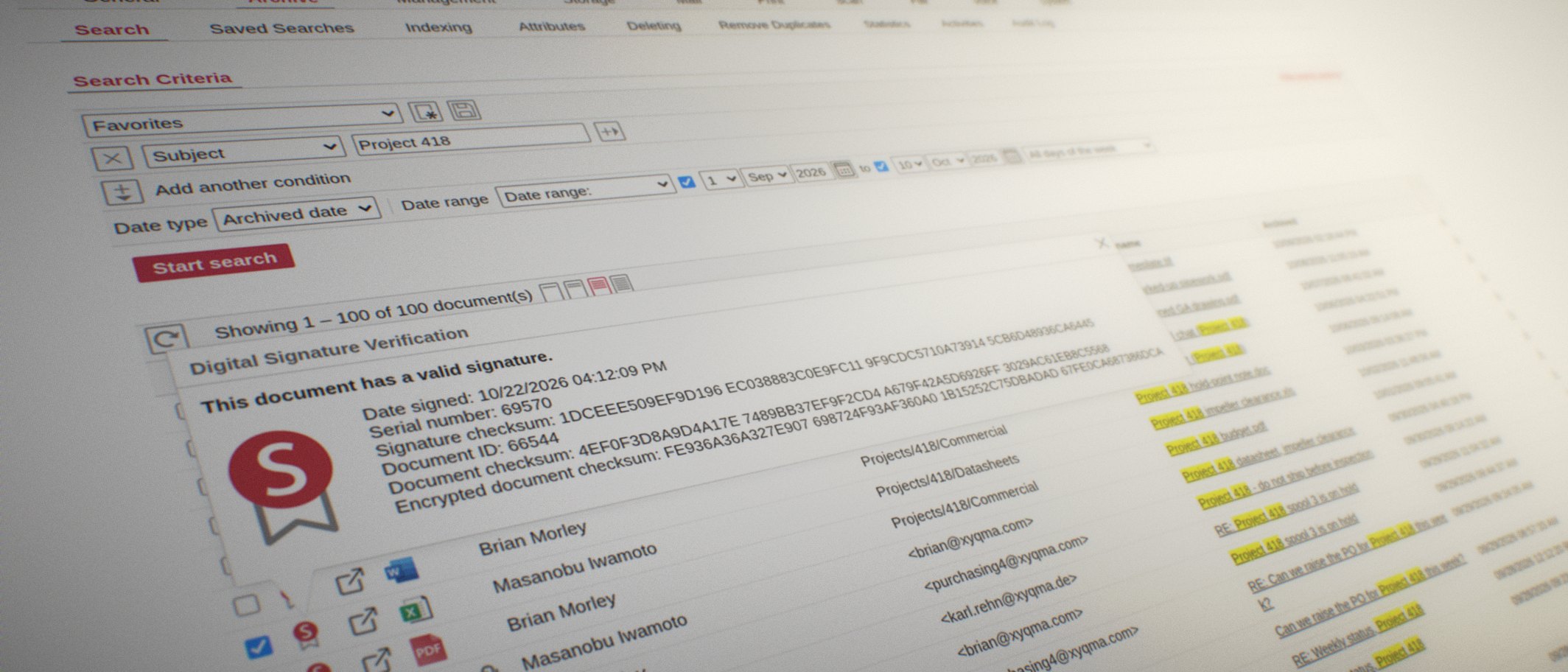
Build the compliance archive your org needs.
A toolbox for archiving email, files, chats, scans, printouts and calls. It's shaped around your organisation's rules with one flat price, however many users.
Start where your problem is
Which of these sounds like you?
We have to keep records for years, and prove it.
Email and documents archived signed, time-stamped and tamper-proof. The retention rules are yours to set.
ComplianceSomeone needs a mail from 2019 and nobody can find it.
Full-text search across mail, files, scans and calls, in seconds, on the desktop, in Outlook or on the phone.
How search worksWe are moving to Microsoft 365.
The archive moves with you. The ARTEC Cloud Connector links Exchange Online to EMA.
Microsoft 365We are changing mail servers and cannot lose the history.
Import from PST files, Exchange, IMAP and Maildir, and keep one archive across the change.
MigrationWe had a legal case and never want to search by hand again.
eDiscovery and case review in a few clicks, inside your access rules.
eDiscoveryWe have data that ransomware must not reach.
VSTOR Vault keeps the archive where nothing else on your network can reach it.
Cyber defenceWe want one archive, not four tools.
Mail, files, scans, print and voice in one archive, with one search.
The modulesI am an admin and something needs fixing.
No escalation levels, no scripts, no phone trees. You open a ticket and we help you.
SupportOrganisations that archive with EMA






























Modules
A toolbox, not a fixed product
EMA is built from modules. EMA Mail comes with every archive. Add File for documents and chats, Print and Scan for paper and print output, Voice for calls. Connect Microsoft 365, Exchange, Google Workspace, SharePoint, OneDrive and Teams. Take what your compliance rules require and leave the rest.
Explore the modules
Licensing
One flat price
No licence per user. No limit on mailboxes. No limit on documents. You pay for the modules you need, and the price does not move when you hire. That holds for EMA Cloud, EMA On-Premise Flex (a rented archiver) and EMA On-Premise Classic (an archiver you own).
EMA Cloud or On-Premise
Control
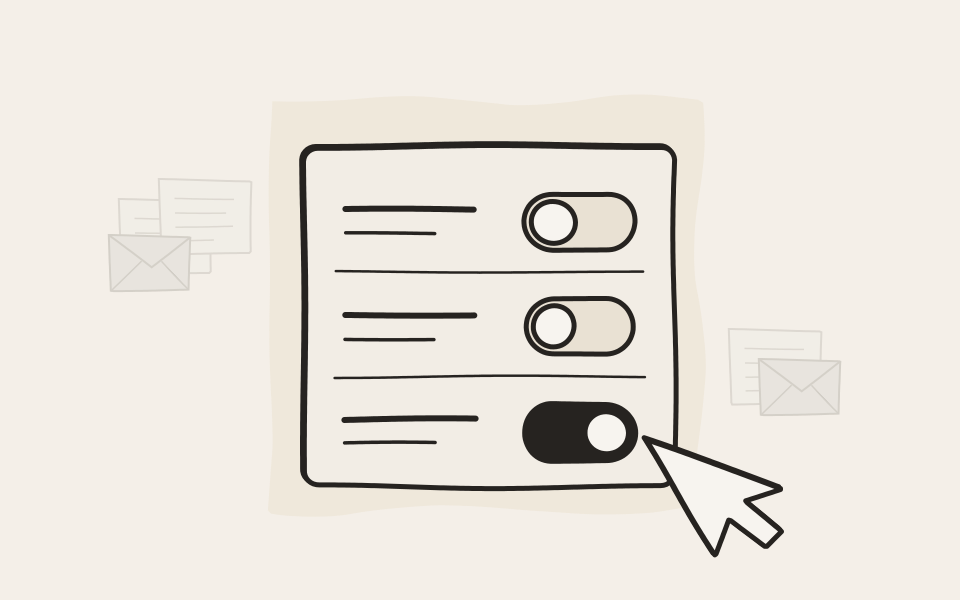
Changes happen when you decide
Most software ships whatever is new and fixes what breaks later. We would rather not break your compliance archive. Every new feature ships turned off, and your administrator decides when it goes on. An update never changes how your archive works overnight.
Security
Secured and locked down to the core.
EMA runs on a secure Unix core that we maintain ourselves. EMA Cloud is an EMA of your own on its own virtual storage: nothing is shared with other customers, and maintenance access needs your approval each time. On premises, add VSTOR Vault, storage that only EMA can talk to, to create an EMA Cyber Defense System.
Learn how it works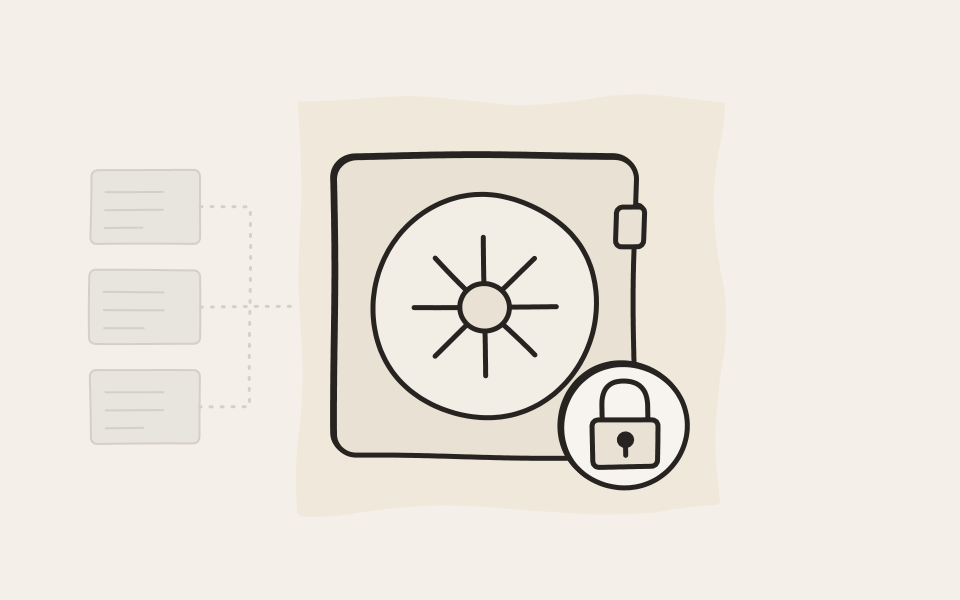
Products
EMA, and the storage built for it

EMA: email and document archiving
Archive email, files, chats, scans, print jobs and calls in one place, searchable in seconds, signed and time-stamped. In EMA Cloud, EMA On-Premise, or both.
Learn more about EMA
VSTOR Vault: storage for your archive
Direct attached storage for EMA On-Premise. Only EMA can talk to it, so the archive sits out of reach of everything else on your network.
Learn more about VSTOR VaultEverything about one project, in one search
See how easy it is to find and bring information from various sources together with EMA.
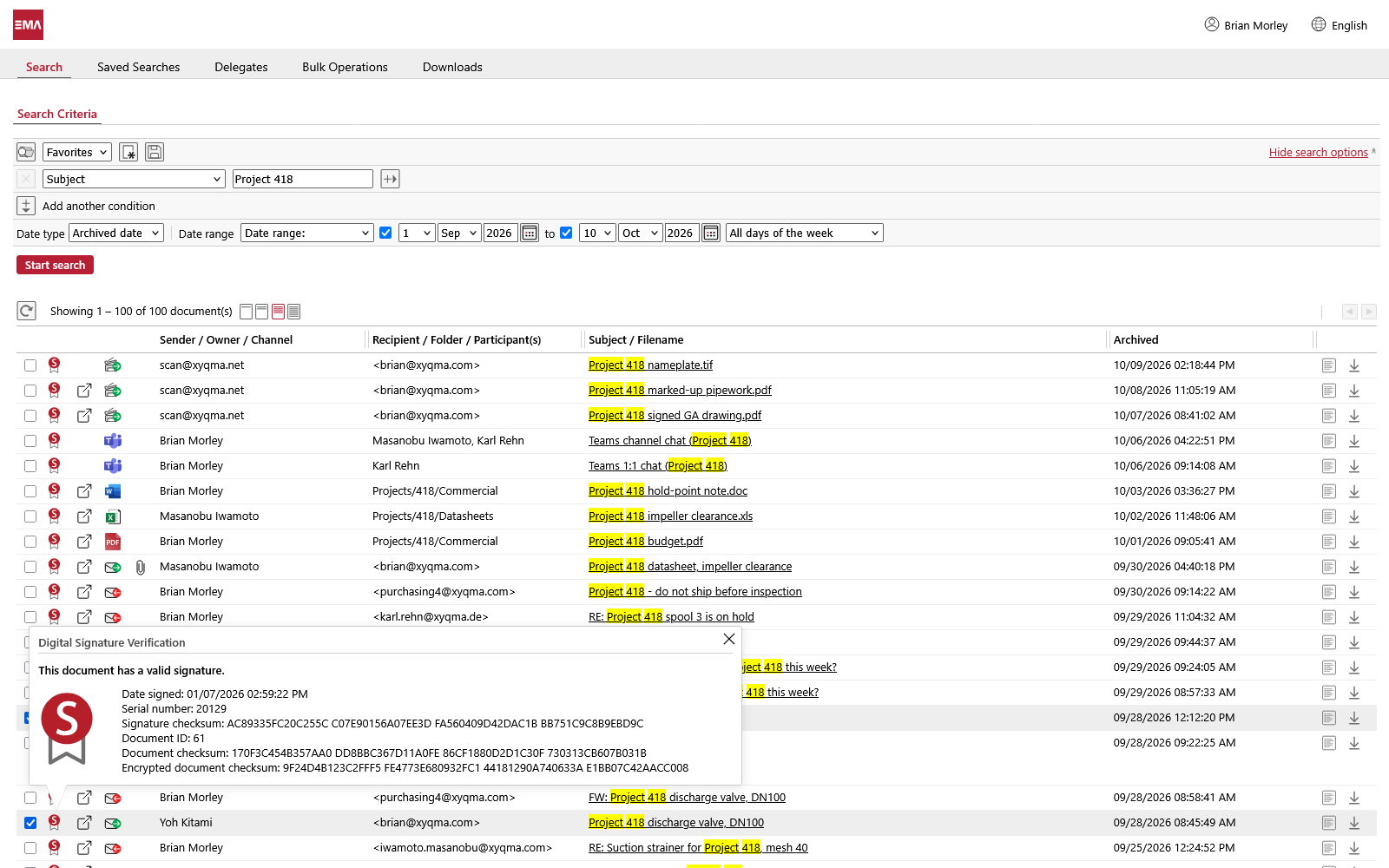
Mail, files, chats and scans in one list.
Search for Project 418 and EMA lists everything with that name. Emails, scans from the office printer, files from the project share and Teams chats come back together.
- Choose where to search, from the subject line to the full text of attachments.
- An icon in each row tells you whether it is an email, a scan, a file or a chat.
- Every record is signed when it is archived. One click shows that it has not changed since.
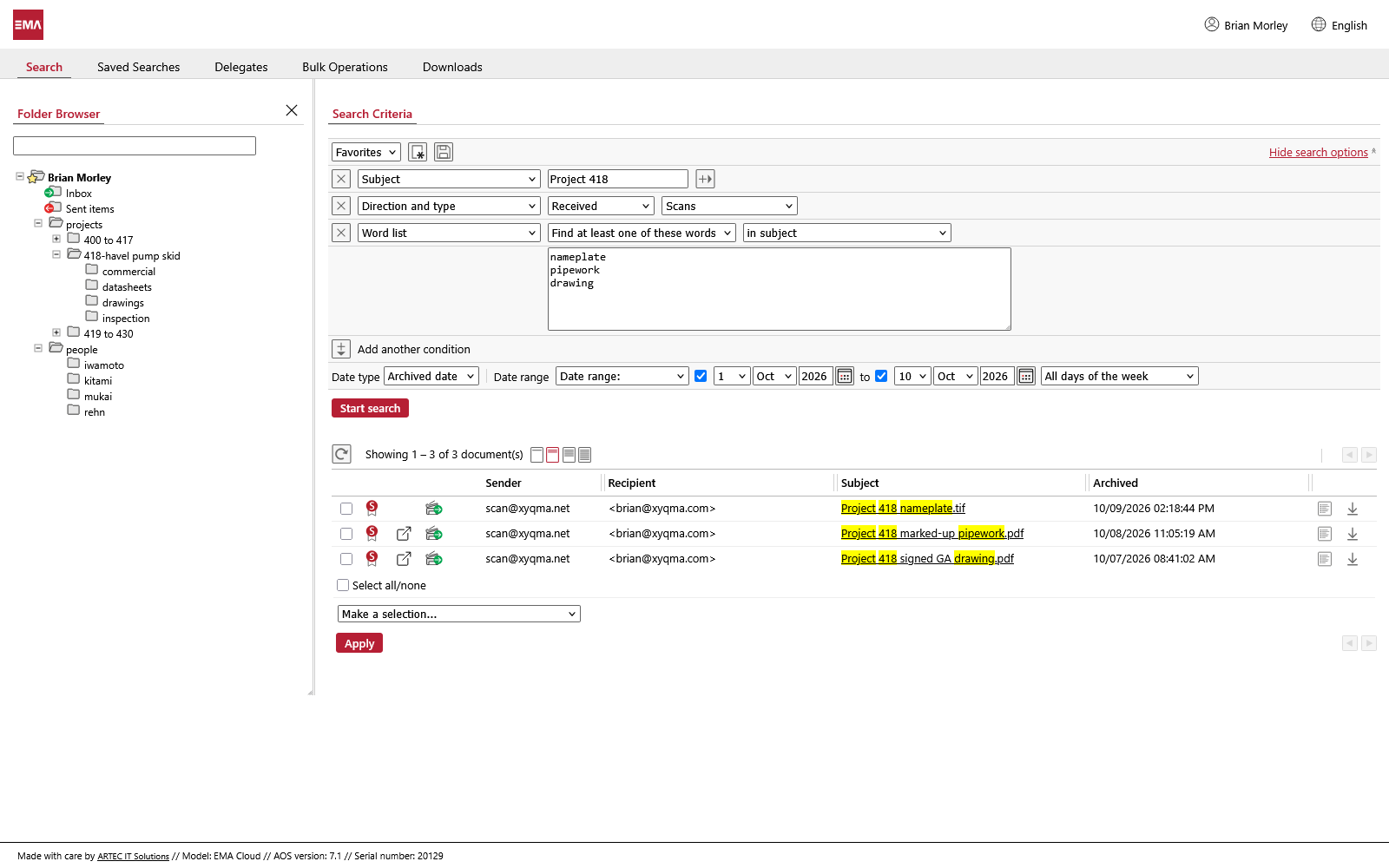
From a hundred results to three.
Too many hits? Add conditions. Here EMA keeps only received scans with nameplate, pipework or drawing in the subject, archived in the first ten days of October.
- Add as many conditions as you need, one per row.
- A word list finds any of several words, for when you’re not sure which one was used.
- Or browse by folder, as in the mailbox or on the file share.
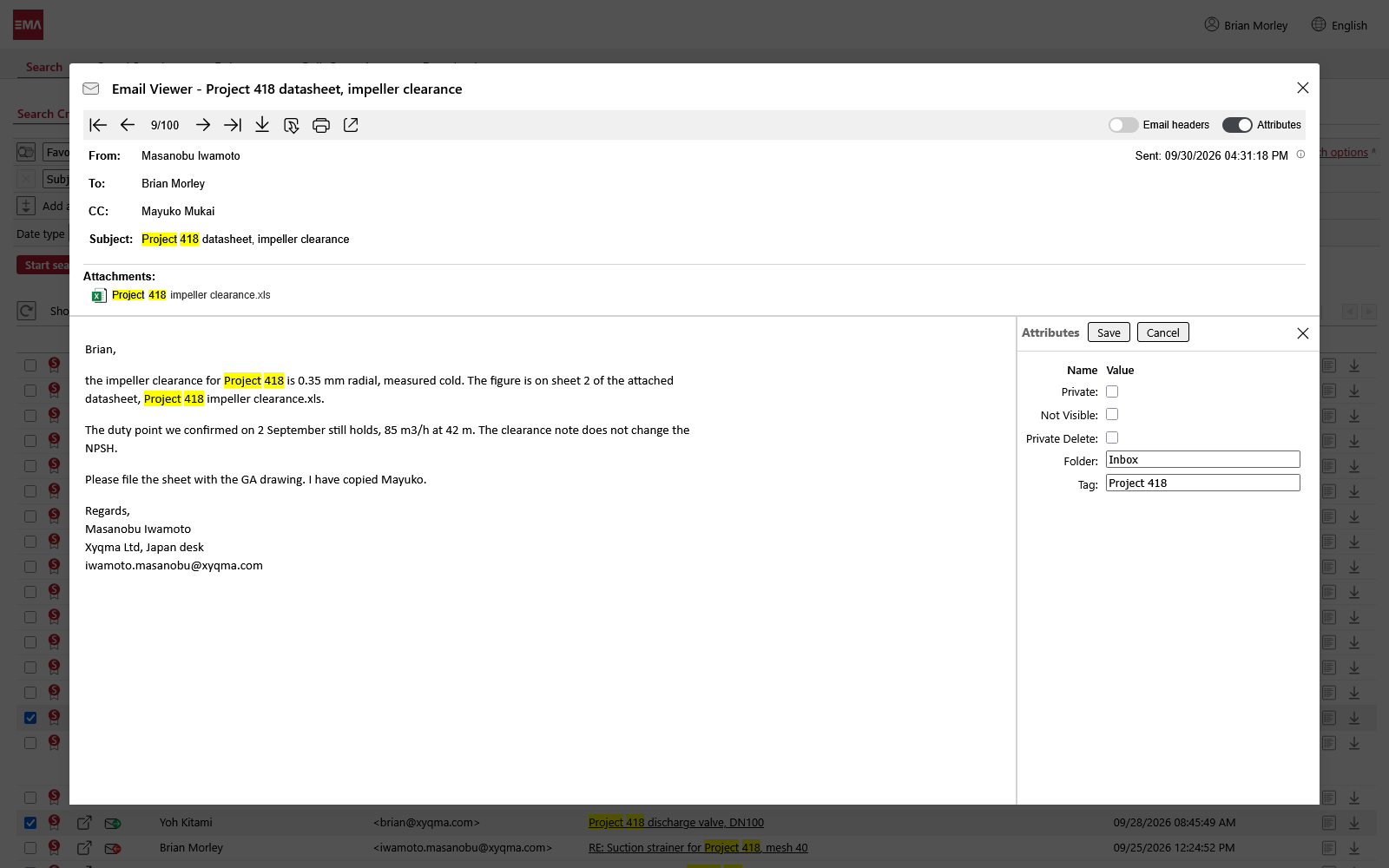
Open the record itself.
The viewer shows the email as it was sent, with your search words highlighted. You can tag it right there and find it by that tag later.
- Sender, recipients and the time it was sent, as in the original.
- Open or download an attachment without restoring anything.
- Add up to 200 attributes of your own, such as a project tag.
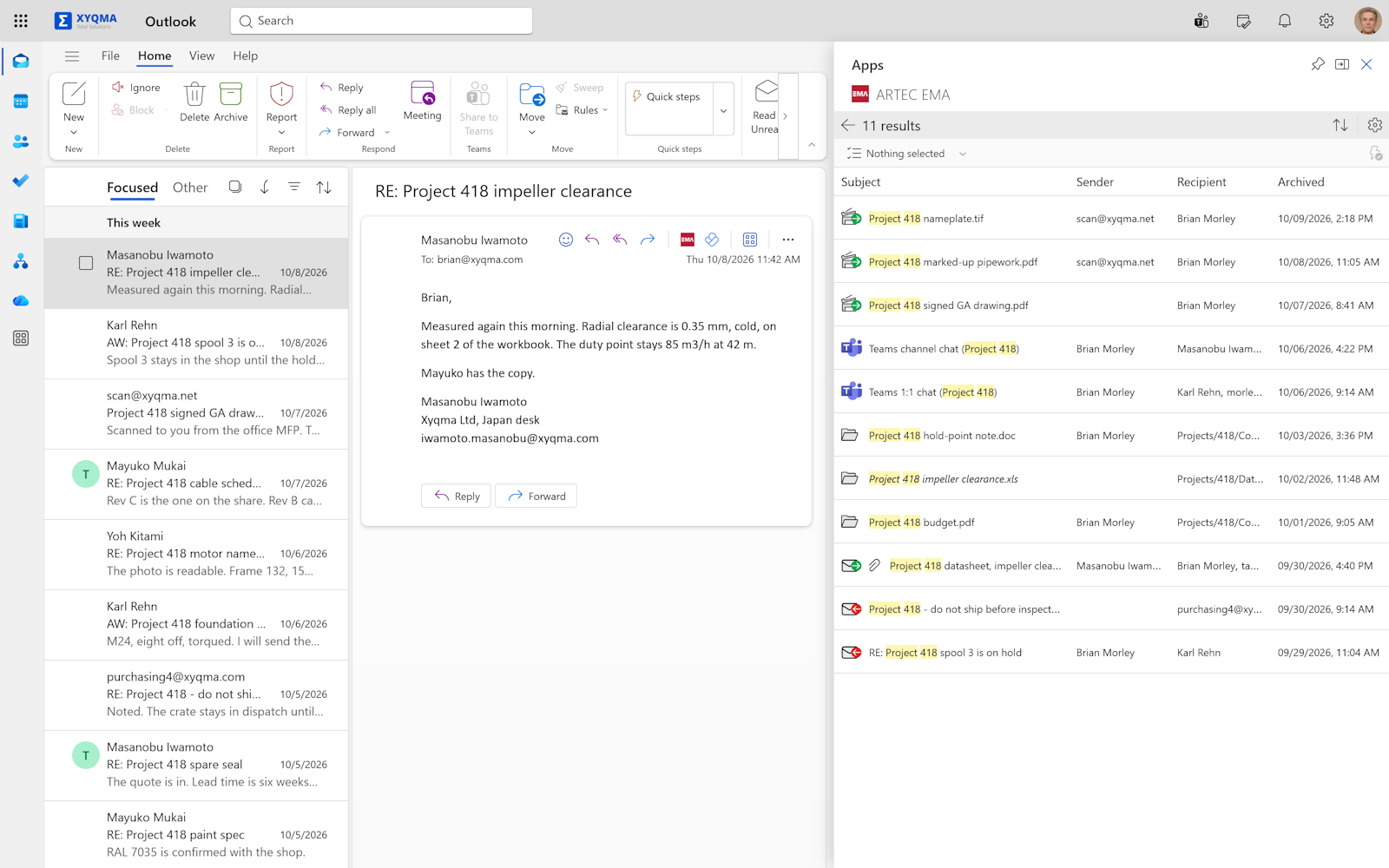
Search the archive from Outlook.
With the EMA for Outlook add-in, the same search runs beside your inbox. It finds what left the mailbox long ago, and the files and chats as well.
- Keep reading the email you’re working on.
- The add-in opens in the Outlook side panel.
- Files and Teams chats show up here too, not only email.
Developed in Germany
All development happens near Frankfurt, and has since 1995.
Hosted in Europe
EMA Cloud runs in data centres certified to ISO/IEC 27001 and attested to BSI C5.
Supported worldwide
Sysadmin to sysadmin: open a ticket, get a solution.
Independent
No outside investors, so nobody can sell the archive out from under you.
News
AOS 7.20: Mailbox Sync and two new APIs
AOS 7.20 brings Mailbox Sync for Exchange, Microsoft 365, Gmail and IMAP, the new System API and User API, and an Integrity Check for backup storage.
AOS 7.10: clearer warnings and faster federated search
AOS 7.10 shows important warnings in a bar of their own, speeds up federated search and restores files with their original dates where possible.
AOS 7.00: EMA archives Teams, SharePoint, OneDrive and Google Drive
AOS 7.00 brings new sources to archive, deletion rules built on saved searches, more ways to sign in, text recognition in EMA Scan and a redesigned web interface.
In 10 minutes you know if we fit.
Book a demo. We start with the honest version: what EMA does, what it does not, and whether it suits your company. If it does, we spend another twenty minutes on the details.